参考图+说明→町/国/学校世界观説明シート
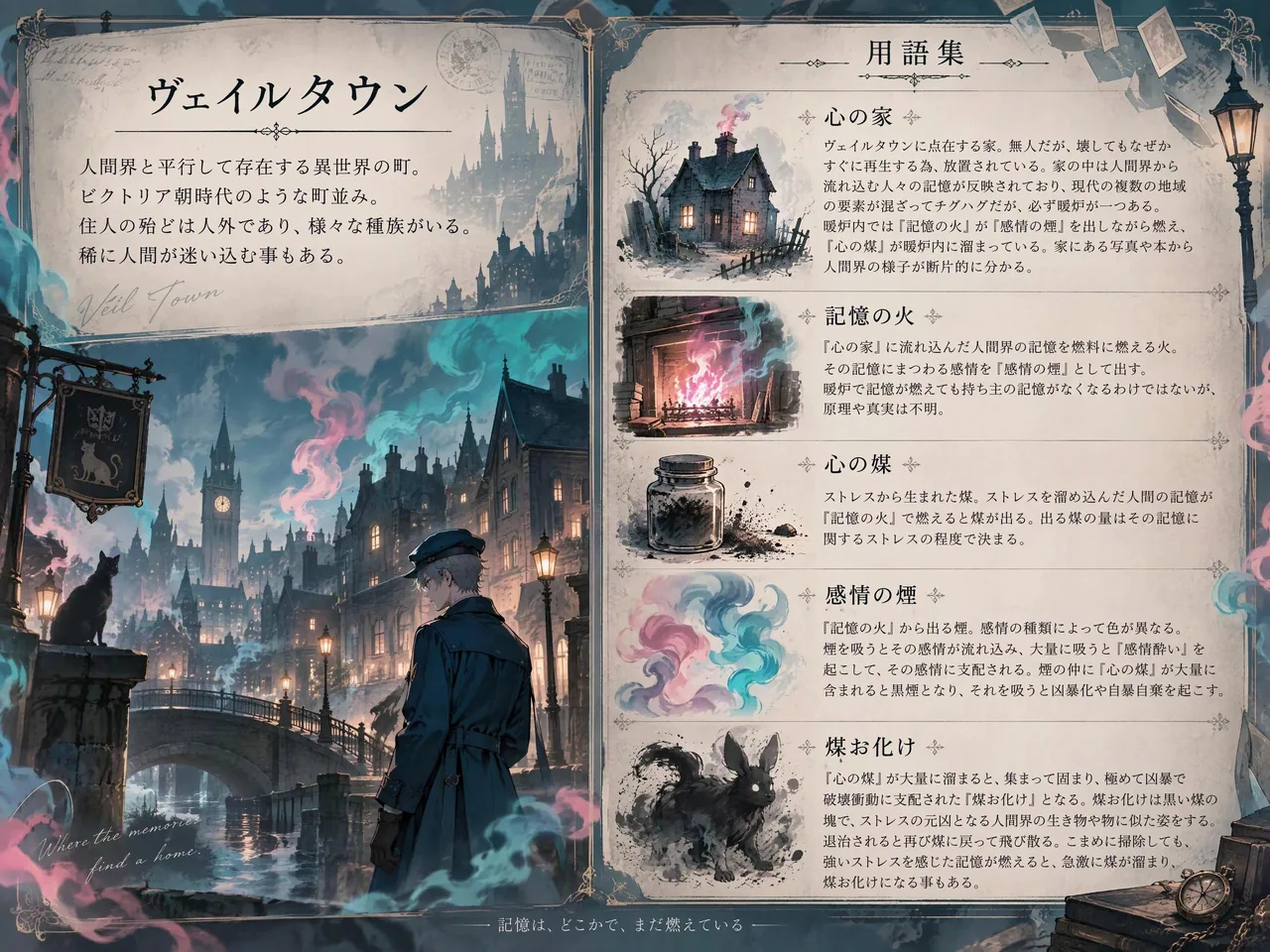
上传一图+说明,4:3 左上町概要、右半用語小插画、左下场景插画;日英可改,术语多字易糊要控字数。世界观设定表别手搓排版——公式化 prompt 直接烤成设定页。

Prompt
#説明シートプロンプト
以前投稿したイラストを生成する際に使用したプロンプトを一般化したのでメモ

画像1枚と説明文から町とその関連用語の説明シートを生成するプロンプト
(町以外にも国や学校等の説明も可)

背景色やイラストは参考画像や説明文を元に描写

画像①はGPT Image 2.5を使用し、画像②を参考画像にして生成したものです
(アスペクト比4:3)

自分用に作った為、どのモデルでも利用可能か否かは保証しませんが、
利用自体はご自由にどうぞ

報告やタグ使用は不要です
(今後もプロンプトメモを投稿する予定の為、後で検索しやすいようにタグ付けしています)

【プロンプト】
A high-quality fantasy world-building sheet. Descriptions of the town and related Terms. The town description goes in the top-left corner, general descriptions of Terms go in the right half, and an illustration goes in the bottom-left corner. The borders and background color should match the atmosphere of the Reference Image. All text must be written in Japanese, and only the specified text should be included.
Town Description: Name is "[町の名前]". General Description is "[町の概要]".
Terms: Draw a small, stylized illustration next to each term to represent it.
"[用語1]";"[用語1の説明]"
"[用語2]";"[用語2の説明]"
...(用語が3つ以上の時は同様に記述)
Illustration: Use the reference images to create illustrations that fit the world-building.The atmosphere should also match the world-building. Blur the Outlines of an Illustration.

【備考】
・最初の"fantasy"は必要に応じて変更又は削除
・"Town"も"Country"や"School"など、説明したいものに合わせて適宜単語を変更
・説明文の文字数が多いと文字が潰れやすくなる為、字数は程々に
・言語を変更したい時は"Japanese"の部分を変更して下さい

プロンプトの改良はご自由に構いません

生成モデルによっては日本語をうまく出力出来ませんので、予めご了承下さい
Attribution
- Author
- Kurohachi05
- Published
- 2026-09-24
- Original post
- View original ↗
- Collected from
- xianyu110/awesome-gpt-image2.5 · 2102955744475947318 · MIT