角色参照→双格「笔记本屏幕伸手牵你」完整 prompt
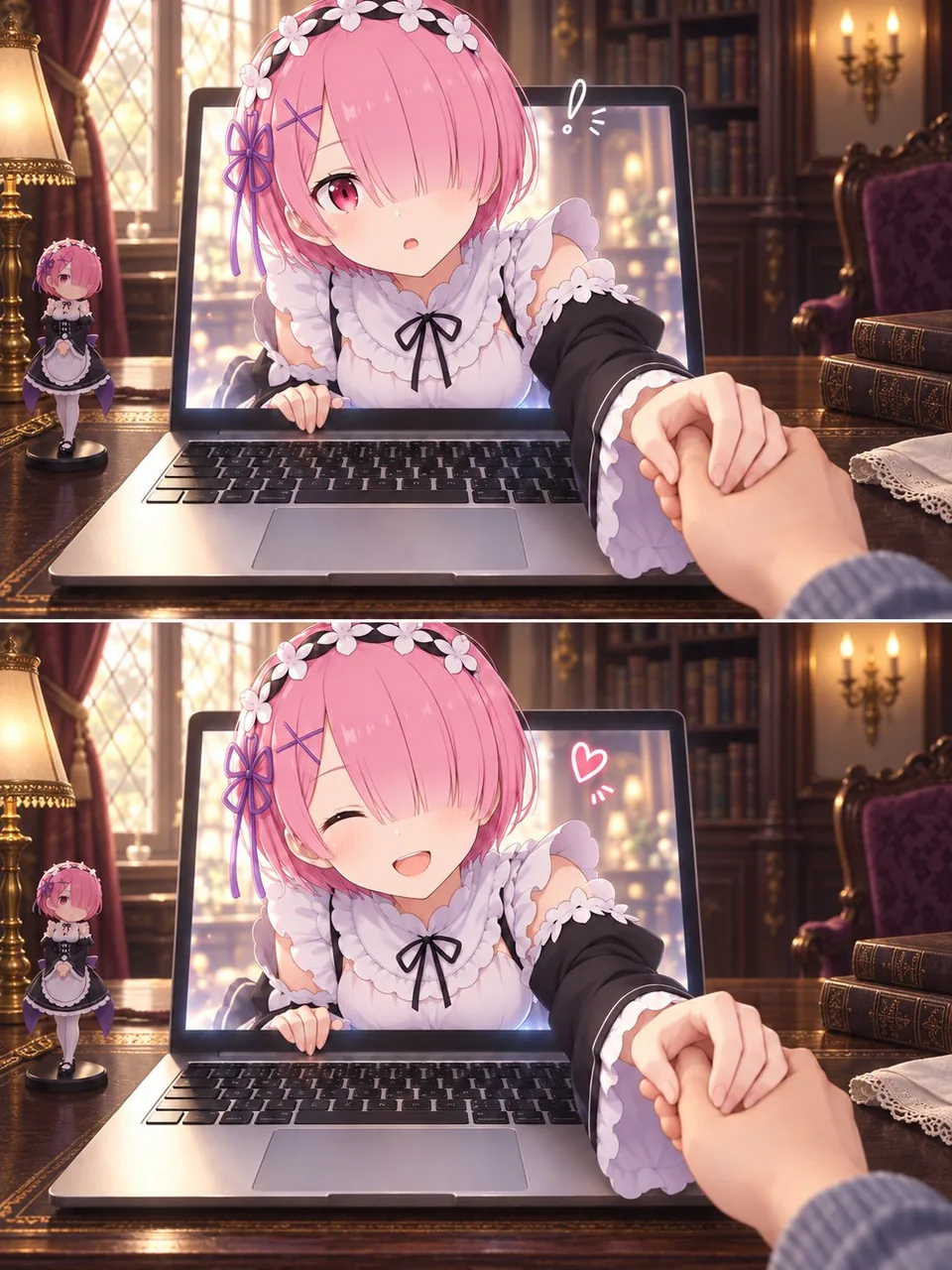
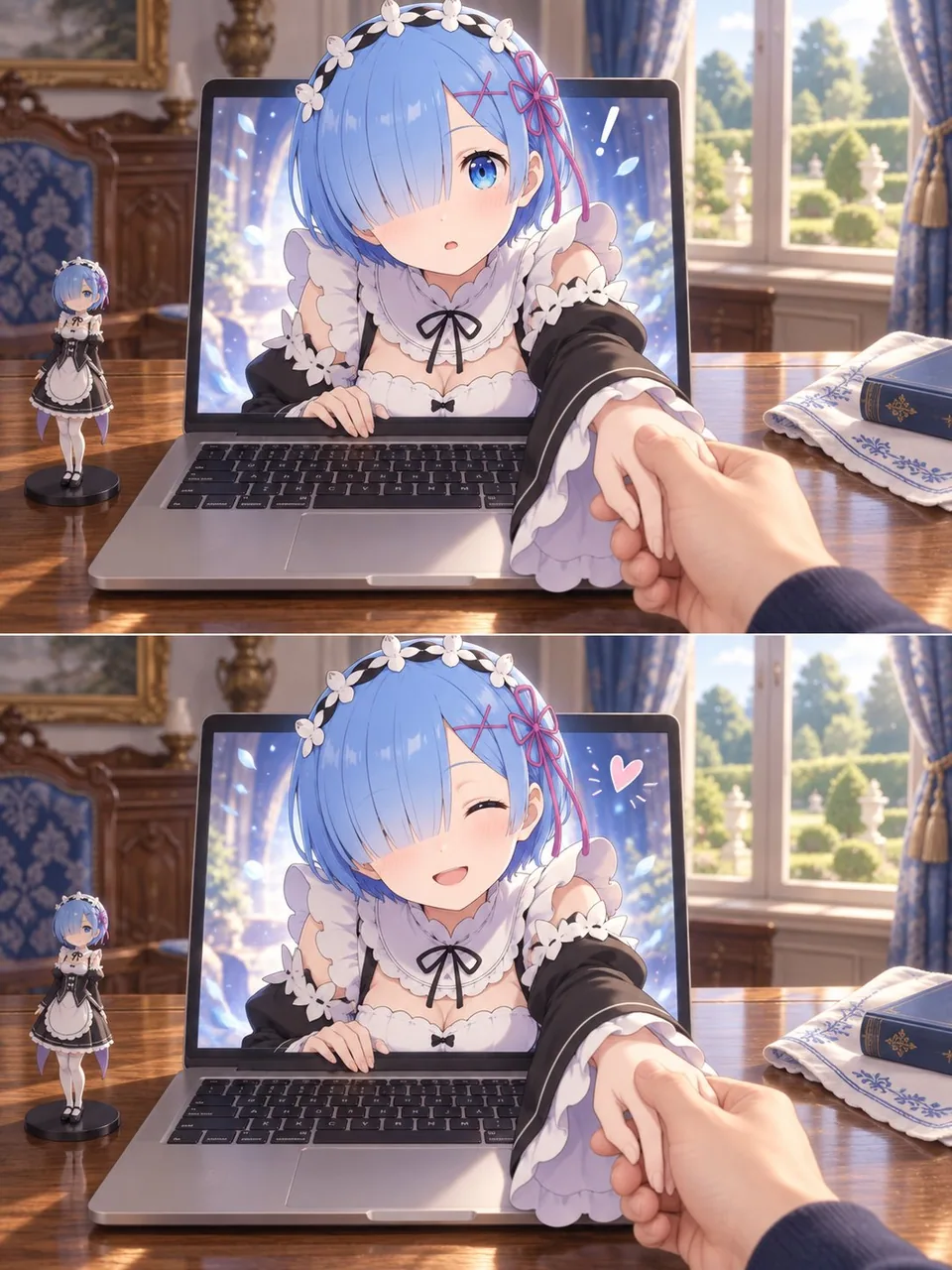
任意角色参考图焊进双格 3:4:上惊下笑,角色从笔记本屏幕伸出手牵住第一人称的手。破第四面墙别靠玄学姿势,先锁角色细节再统一桌面世界观。
Prompt
Use my uploaded image as the sole character reference. Create a two-panel image of the character reaching out of a laptop screen and gently holding my hand in the real world.

CHARACTER ACCURACY
Faithfully preserve the character’s hairstyle, hair color, eyes, facial features, accessories, outfit, and signature details. Pay particular attention to which eye is covered by the bangs and the placement of accessories. Maintain the character’s original art style and personality, with a complete outfit and natural proportions.

COMPOSITION
Create a portrait image with a 3:4 aspect ratio, divided into two equally sized horizontal panels stacked vertically.
Use a first-person perspective from someone seated at a desk. An open laptop sits in the center, with its keyboard and the desktop clearly visible.
The character’s head, shoulders, and one arm emerge through the laptop screen, while the rest of their body remains inside the screen, creating a convincing “breaking the fourth wall” illusion.
One realistic human hand enters from the lower-right foreground and gently holds the character’s extended hand. The character’s other hand rests naturally on the lower edge of the screen.
Make the character’s face the main focal point, with the joined hands creating natural foreground depth and foreshortening.

TWO-PANEL EXPRESSION CHANGE
Top panel: The character looks toward the viewer with a slightly surprised or curious expression. Add a small hand-drawn exclamation mark beside their head.
Bottom panel: Keep the same camera angle and hand-holding pose, but change the expression to a happy smile that suits the character’s personality. Add a small hand-drawn heart.
Keep the character design, background, object placement, and lighting consistent across both panels. The main change should be the facial expression.

CHARACTER-MATCHED ENVIRONMENT
Design the room, furniture, desktop, and decorations to suit the character’s fictional world, identity, outfit, and signature colors.
Give the setting a clear connection to the character. Do not reuse a generic room or a fixed set of props for every character. Do not add ceramic jars, vases, or tea sets by default.
Place a small figurine of the same character on the left side of the laptop, matching their current appearance.
Keep other props minimal, relevant, and secondary to the character.
Retain the laptop as the visual bridge between the real world and the character’s world.

VISUAL STYLE
Preserve the character’s illustrated style, while rendering the room, laptop, desk, and viewer’s hand with realistic photographic textures.
Unify the two styles through consistent lighting, contact shadows, and perspective.
Use refined detail, soft lighting, subtle background blur, and a warm atmosphere with natural, gentle interaction.

QUALITY REQUIREMENTS
Anatomically coherent hands, correct finger counts, and clearly readable hand contact.
No extra limbs, unintended duplicate characters, misplaced accessories, text, captions, brand logos, or watermarks.
Attribution
- Author
- Mayz1169
- Published
- 2026-09-29
- Original post
- View original ↗
- Collected from
- xianyu110/awesome-gpt-image2.5 · 2104882223187218503 · MIT