캐릭터 레퍼런스→두 패널 ‘노트북 화면에서 손 내밀어 잡기’ 완성 프롬프트
어떤 캐릭터 레퍼런스 이미지든 두 패널 3:4에 녹여내기: 위는 놀람, 아래는 미소, 캐릭터가 노트북 화면에서 손을 내밀어 1인칭 시점의 손을 잡습니다. 제4의 벽 깨기를 요행 포즈에 기대지 말고, 먼저 캐릭터 디테일을 고정한 뒤 데스크톱 세계관을 통일하세요.
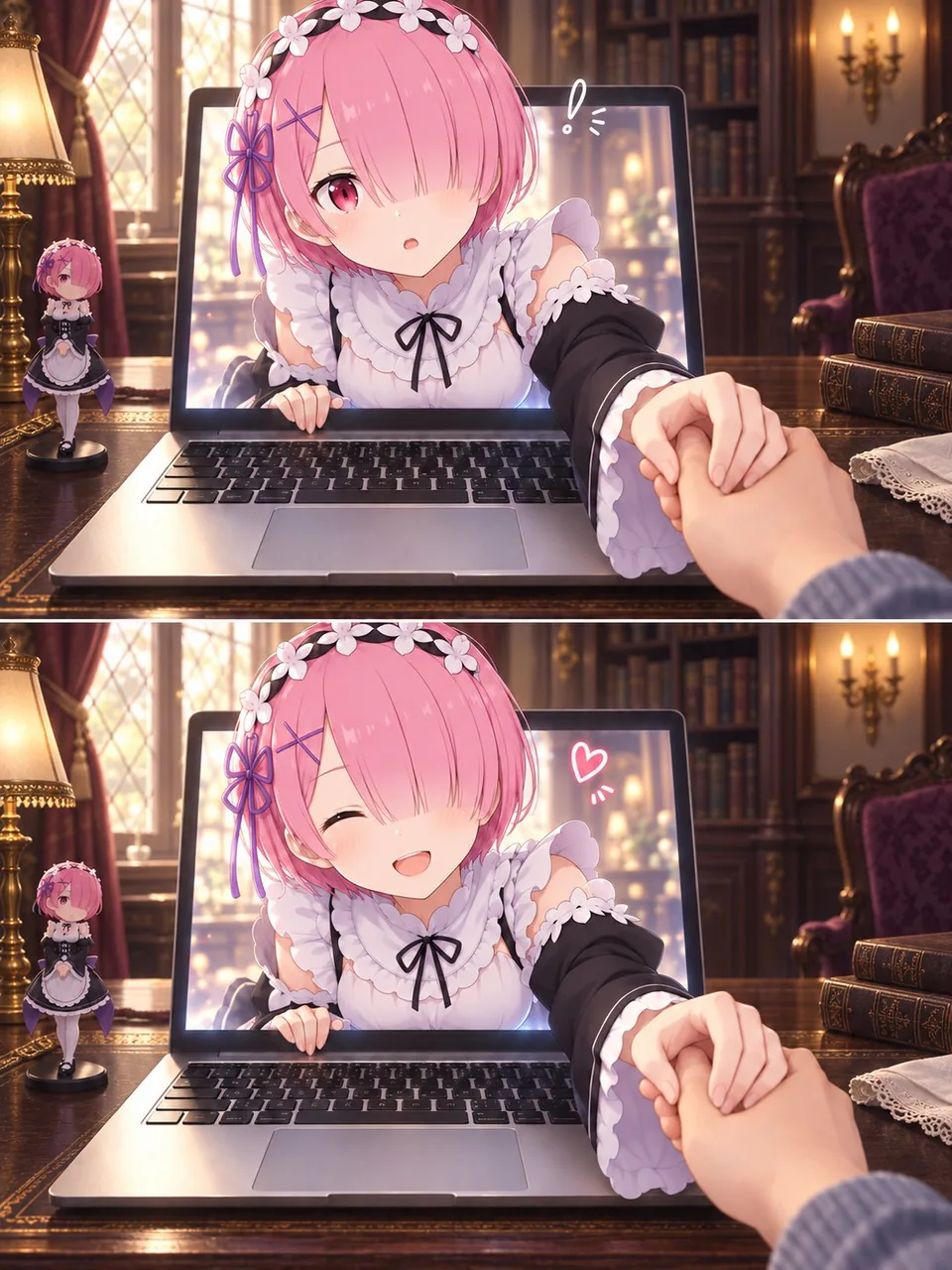
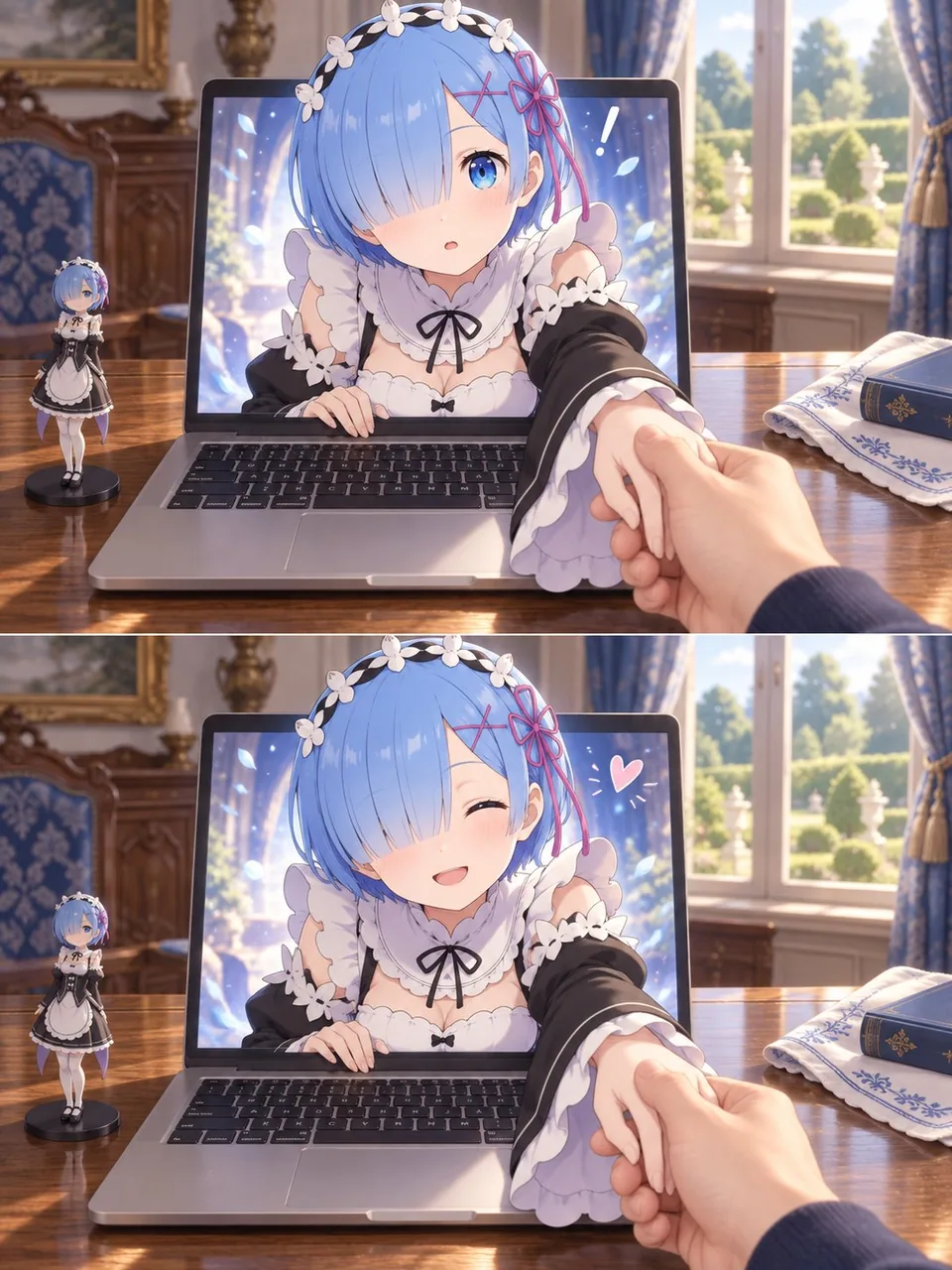
프롬프트
Use my uploaded image as the sole character reference. Create a two-panel image of the character reaching out of a laptop screen and gently holding my hand in the real world.

CHARACTER ACCURACY
Faithfully preserve the character’s hairstyle, hair color, eyes, facial features, accessories, outfit, and signature details. Pay particular attention to which eye is covered by the bangs and the placement of accessories. Maintain the character’s original art style and personality, with a complete outfit and natural proportions.

COMPOSITION
Create a portrait image with a 3:4 aspect ratio, divided into two equally sized horizontal panels stacked vertically.
Use a first-person perspective from someone seated at a desk. An open laptop sits in the center, with its keyboard and the desktop clearly visible.
The character’s head, shoulders, and one arm emerge through the laptop screen, while the rest of their body remains inside the screen, creating a convincing “breaking the fourth wall” illusion.
One realistic human hand enters from the lower-right foreground and gently holds the character’s extended hand. The character’s other hand rests naturally on the lower edge of the screen.
Make the character’s face the main focal point, with the joined hands creating natural foreground depth and foreshortening.

TWO-PANEL EXPRESSION CHANGE
Top panel: The character looks toward the viewer with a slightly surprised or curious expression. Add a small hand-drawn exclamation mark beside their head.
Bottom panel: Keep the same camera angle and hand-holding pose, but change the expression to a happy smile that suits the character’s personality. Add a small hand-drawn heart.
Keep the character design, background, object placement, and lighting consistent across both panels. The main change should be the facial expression.

CHARACTER-MATCHED ENVIRONMENT
Design the room, furniture, desktop, and decorations to suit the character’s fictional world, identity, outfit, and signature colors.
Give the setting a clear connection to the character. Do not reuse a generic room or a fixed set of props for every character. Do not add ceramic jars, vases, or tea sets by default.
Place a small figurine of the same character on the left side of the laptop, matching their current appearance.
Keep other props minimal, relevant, and secondary to the character.
Retain the laptop as the visual bridge between the real world and the character’s world.

VISUAL STYLE
Preserve the character’s illustrated style, while rendering the room, laptop, desk, and viewer’s hand with realistic photographic textures.
Unify the two styles through consistent lighting, contact shadows, and perspective.
Use refined detail, soft lighting, subtle background blur, and a warm atmosphere with natural, gentle interaction.

QUALITY REQUIREMENTS
Anatomically coherent hands, correct finger counts, and clearly readable hand contact.
No extra limbs, unintended duplicate characters, misplaced accessories, text, captions, brand logos, or watermarks.
한국어 번역
업로드한 이미지를 유일한 캐릭터 레퍼런스로 사용하세요. 캐릭터가 노트북 화면 밖으로 손을 뻗어 현실 세계에서 내 손을 부드럽게 잡는 두 패널 이미지를 만드세요.

캐릭터 정확도
캐릭터의 헤어스타일, 머리색, 눈, 얼굴 특징, 액세서리, 의상, 시그니처 디테일을 충실히 유지하세요. 앞머리에 가려진 눈이 어느 쪽인지와 액세서리 위치에 특히 주의하세요. 캐릭터 본연의 화풍과 개성을 유지하고, 의상은 완전하게, 비율은 자연스럽게 표현하세요.

구도
3:4 비율의 인물 이미지를 만들고, 세로로 쌓인 동일한 크기의 가로 두 패널로 나누세요.
책상에 앉아 있는 사람의 1인칭 시점을 사용하세요. 중앙에 열린 노트북이 놓여 있고 키보드와 바탕화면이 선명하게 보입니다.
캐릭터의 머리, 어깨, 한쪽 팔이 노트북 화면을 뚫고 나오고 나머지 몸은 화면 안에 남아 있어, 설득력 있는 “제4의 벽을 깨는” 착시를 만들어냅니다.
현실적인 사람의 손 하나가 오른쪽 아래 전경에서 들어와 캐릭터가 내민 손을 부드럽게 잡습니다. 캐릭터의 다른 손은 화면 아래 가장자리에 자연스럽게 놓입니다.
캐릭터의 얼굴을 주된 초점으로 삼고, 맞잡은 손이 자연스러운 전경 깊이와 단축 원근을 만들어내게 하세요.

두 패널 표정 변화
위 패널: 캐릭터가 약간 놀라거나 호기심 어린 표정으로 관찰자를 바라봅니다. 머리 옆에 작은 손그림 느낌의 느낌표를 추가하세요.
아래 패널: 같은 카메라 앵글과 손잡기 포즈를 유지하되, 표정을 캐릭터의 개성에 어울리는 행복한 미소로 바꾸세요. 작은 손그림 하트를 추가하세요.
두 패널 모두 캐릭터 디자인, 배경, 사물 배치, 조명을 일관되게 유지하세요. 주요 변화는 표정이어야 합니다.

캐릭터에 맞춘 환경
방, 가구, 바탕화면, 장식을 캐릭터의 가상 세계, 정체성, 의상, 시그니처 색상에 어울리게 디자인하세요.
배경이 캐릭터와 명확하게 연결되도록 하세요. 모든 캐릭터에게 똑같은 범용 방이나 고정된 소품 세트를 재사용하지 마세요. 기본적으로 도자기 단지, 화병, 다기 세트를 넣지 마세요.
노트북 왼쪽에 현재 모습과 일치하는 같은 캐릭터의 작은 피규어를 배치하세요.
다른 소품은 최소한으로, 관련성 있게, 캐릭터의 보조 요소로 유지하세요.
노트북은 현실 세계와 캐릭터 세계를 잇는 시각적 다리로 유지하세요.

시각 스타일
캐릭터의 일러스트 화풍은 유지하면서, 방, 노트북, 책상, 관찰자의 손은 사실적인 사진 질감으로 렌더링하세요.
일관된 조명, 접촉 그림자, 원근을 통해 두 스타일을 통일하세요.
정교한 디테일, 부드러운 조명, 은은한 배경 흐림, 따뜻한 분위기와 자연스럽고 부드러운 상호작용을 사용하세요.

품질 요구 사항
해부학적으로 자연스러운 손, 올바른 손가락 개수, 명확하게 읽히는 손의 접촉.
추가된 팔다리, 의도치 않게 중복된 캐릭터, 잘못 배치된 액세서리, 텍스트, 캡션, 브랜드 로고, 워터마크가 없어야 합니다.
출처
- 원작자
- Mayz1169
- 게시일
- 2026-09-29
- 원문 출처
- 원문 보기 ↗
- 수록 출처
- xianyu110/awesome-gpt-image2.5 · 2104882223187218503 · MIT