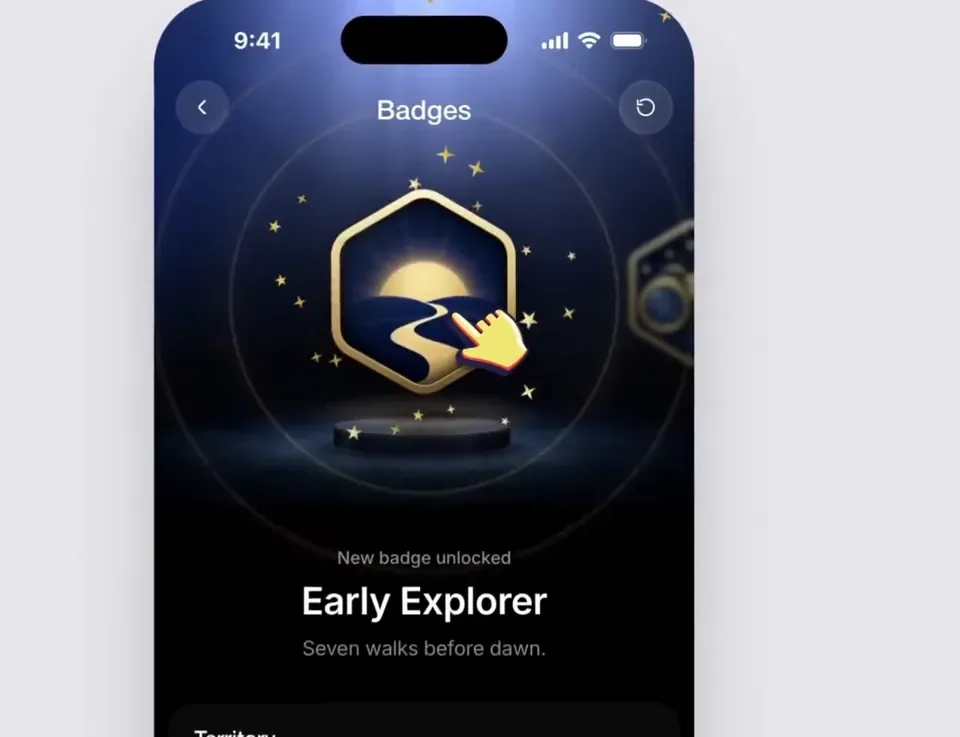
Using the linked Figma frame build a badge unlock screen. Match the design exactly. Use the file's assets, lighting, type and layout and add only the motion. Animate the badge so it feels premium and celebratory. Build its scene and then celebrate with gold particles. Treat the badge as a solid 3D object that tilts toward the
cursor following the rules of physics. Keep it fast and smooth, it should not be bouncy.
日本語訳
リンクされた Figma フレームを使って、バッジのアンロック画面を構築してください。デザインを正確に一致させてください。ファイルのアセット、ライティング、書体、レイアウトを使い、モーションだけを追加してください。バッジがプレミアムで祝福感のあるものに感じられるようにアニメーションさせてください。そのシーンを構築し、その後ゴールドのパーティクルで祝福してください。バッジは、物理法則に従って
カーソルに向かって傾くソリッドな 3D オブジェクトとして扱ってください。速く滑らかに保ち、跳ねる感じにしてはいけません。