<inputs>
Ask me for: a one-word product name for the wordmark, one accent color, and a royalty-free track around 120 BPM (e.g. Mixkit, free for commercial use).
</inputs>

<direction>
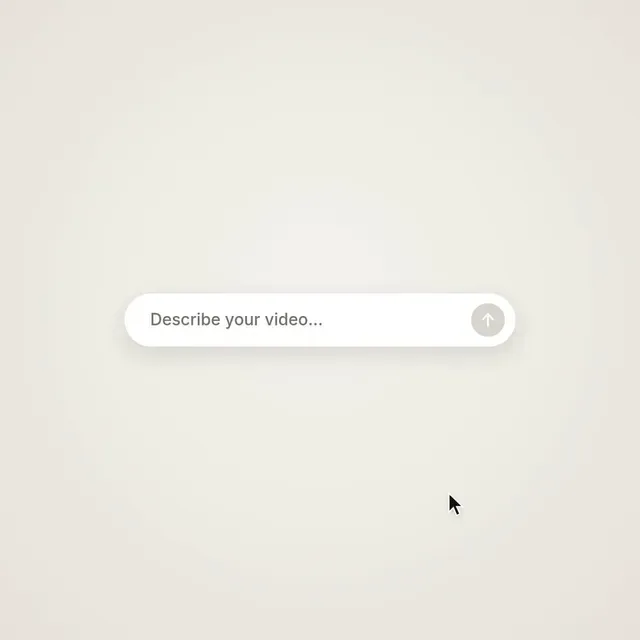
Product-launch UI motion in one continuous take. One shape tells the whole story: a prompt bar becomes a button, the button becomes a progress ring, the ring becomes a preview window, the window fills the screen, then shrinks into a toast and back into the prompt bar. No cuts, no fades between scenes: objects transform. A cursor triggers every change with real clicks. Warm off-white canvas, black UI, one accent color, Inter for UI and the wordmark. Springs everywhere with only a slight overshoot. Zoom the camera so each moment fills the square.
Banned: crossfades, gradients on UI, particles, glows, bouncy easing, dead beats, anything that feels like a template.
</direction>

<structure>
120 BPM, 24 beats, something happens on every beat.
Type the request into the prompt bar → click send → the bar collapses into a black circle → a progress ring fills in four steps while four chips spring out (concept, storyboard, motion, sound) → the chips fly into a timeline and the circle becomes a preview window → a playhead sweeps the clips → inside the preview an orbit draws itself, a planet starts moving and the wordmark rises letter by letter from a mask line → the preview fills the screen → the letters drop away, the planet flies into a toast and becomes its checkmark → "Rendered in code · 60 fps" → the toast turns back into an empty prompt bar. Last frame = first frame.
</structure>

<build>
1. One HTML file with a 1440x1440 canvas. Draw everything inside seek(t): no CSS transitions, timers or state carried between frames.
2. Use closed-form spring step responses. When a value changes target several times, add one spring per change so it stays a pure function of time.
3. The main shape is one rounded rect whose width, height, radius, position and color are each a chain of springs.
4. Typing is derived from time: characters shown = floor(progress × length), with a caret that blinks only when idle.
5. Find the beat grid of the track, start on a downbeat and place every click, pop and chime on its measured peak.
6. Render with Playwright at 60 fps, then encode H.264 CRF 16 and loudnorm to -14 LUFS.
7. Render one still per beat first. Fix anything cramped, off-grid or hard to read before the full render.
</build>

<gotchas>
Text inside a morphing shape needs its own clip and separate enter/exit timing. Text swaps need their own fade so they never overlap. The cursor must end at the exact position it started, or the loop will stutter.
</gotchas>
한국어 번역
<inputs>
저에게 물어봐 주세요: 워드마크에 쓸 한 단어 제품명, 액센트 색 하나, 약 120 BPM의 로열티 프리 트랙(예: Mixkit, 상업적 사용 무료).
</inputs>

<direction>
원 테이크로 이어지는 제품 출시 UI 모션. 하나의 형태가 이야기 전체를 전달합니다: 프롬프트 바가 버튼이 되고, 버튼이 진행 링이 되고, 링이 미리보기 창이 되고, 창이 화면을 가득 채운 뒤 토스트로 줄어들었다가 다시 프롬프트 바로 돌아갑니다. 컷도, 장면 사이 페이드도 없습니다: 오브젝트가 변형됩니다. 커서가 실제 클릭으로 모든 변화를 일으킵니다. 따뜻한 오프화이트 캔버스, 검은 UI, 액센트 색 하나, UI와 워드마크에는 Inter. 약간의 오버슈트만 있는 스프링을 곳곳에 사용하세요. 각 순간이 정사각형을 가득 채우도록 카메라를 줌하세요.
금지: 크로스페이드, UI 위의 그라디언트, 파티클, 글로우, 튀는 이징, 비어 있는 박자, 템플릿처럼 느껴지는 모든 것.
</direction>

<structure>
120 BPM, 24박자, 매 박자마다 무언가가 일어납니다.
프롬프트 바에 요청을 입력 → 전송 클릭 → 바가 검은 원으로 접힘 → 네 단계로 진행 링이 채워지는 동안 네 개의 칩이 튀어나옴(컨셉, 스토리보드, 모션, 사운드) → 칩들이 타임라인으로 날아가고 원이 미리보기 창이 됨 → 플레이헤드가 클립들을 훑음 → 미리보기 안에서 궤도가 스스로 그려지고, 행성이 움직이기 시작하며 워드마크가 마스크 선에서 글자 하나씩 올라옴 → 미리보기가 화면을 가득 채움 → 글자들이 떨어져 사라지고 행성이 토스트로 날아가 체크 표시가 됨 → "Rendered in code · 60 fps" → 토스트가 다시 빈 프롬프트 바로 돌아감. 마지막 프레임 = 첫 프레임.
</structure>

<build>
1. 1440x1440 캔버스가 있는 HTML 파일 하나. 모든 것을 seek(t) 안에서 그리세요: CSS 트랜지션, 타이머, 프레임 사이에 이어지는 상태는 금지.
2. 닫힌 형태(closed-form)의 스프링 스텝 응답을 사용하세요. 한 값이 목표를 여러 번 바꾸면, 시간의 순수 함수로 유지되도록 변화마다 스프링을 하나씩 추가하세요.
3. 메인 형태는 둥근 사각형 하나이고, 그 너비·높이·반경·위치·색이 각각 스프링 체인입니다.
4. 타이핑은 시간에서 유도합니다: 표시되는 글자 수 = floor(진행도 × 길이), 캐럿은 유휴 상태일 때만 깜빡입니다.
5. 트랙의 비트 그리드를 찾고, 다운비트에서 시작해서 모든 클릭·팝·차임을 측정된 피크에 배치하세요.
6. Playwright로 60 fps로 렌더링한 뒤 H.264 CRF 16으로 인코딩하고 loudnorm을 -14 LUFS로 적용하세요.
7. 먼저 박자마다 스틸 한 장을 렌더링하세요. 전체 렌더링 전에 빡빡하거나 그리드를 벗어나거나 읽기 어려운 부분을 고치세요.
</build>

<gotchas>
모핑하는 형태 안의 텍스트는 자체 클립과 별도의 등장/퇴장 타이밍이 필요합니다. 텍스트 교체에는 자체 페이드가 필요해서 절대 겹치지 않게 해야 합니다. 커서는 시작한 바로 그 위치에서 끝나야 하며, 아니면 루프가 끊겨 보입니다.
</gotchas>