<inputs>
Give me:

* canvas color
* shape color
* accent color
* shape radius
* fonts
* the states the shape should morph through

Use hex codes, seconds, damping ratios and pixel sizes instead of adjectives.
</inputs>

<direction>
Make a 14 second, 1440x1440, 60fps seamless UI motion loop.

One shape, zero cuts.

The shape morphs from state to state and is never replaced.

Each state fills 50% of the frame.

The camera starts on the beat and settles slower than the shape.

Use closed-form springs.

Shape damping 0.72, settle time 0.35s.
Camera damping 1.0, settle time 0.6s.

Content swaps use 12px blur and fade over 0.15s.

The cursor tip stays locked to whatever it drags.
</direction>

<structure>
Use a 0.5s beat grid.

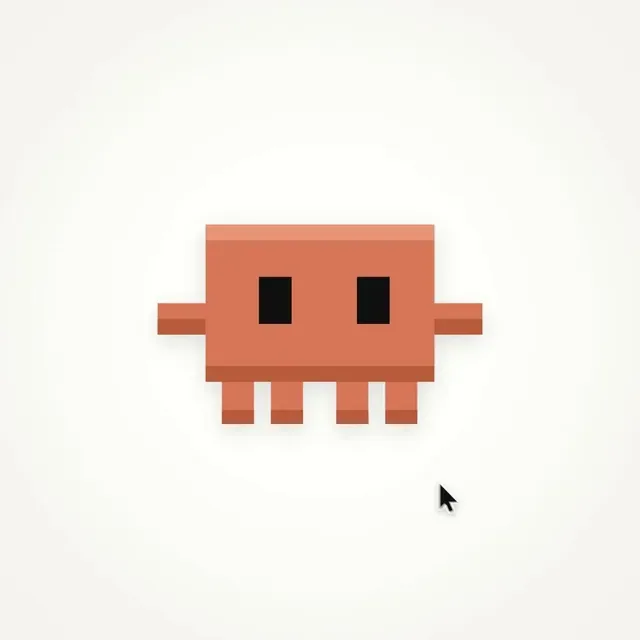
0.0 - pixel mascot idles
1.0 - mascot squashes into play button
1.5 - loader
2.0 - check draws
2.5 - timeline scrub
4.0 - keyframe stretches past the end and snaps back
5.0 - bezier editor
7.0 - counter rolls F 000 to F 840
8.5 - render bar fills
10.0 - command palette types "export mp4"
11.0 - toast says "840 frames rendered"
12.0 - toast shrinks back into the mascot

The last frame must be the first frame.
</structure>

<build>
Write one HTML file with Canvas 2D.

window.renderAt(t) must be a pure function of time.

No Math.random.
No clock.
No carried state.

?t= must freeze the exact moment.

Render every frame from renderAt(frame / 60).

Use 4 subframes for motion blur.

Encode to H.264 at 60fps.
</build>

<gotchas>
Fix the cursor jump at the loop wrap with:

t - 14*floor(t/14)

Do not cross-fade orange into ink.

Use a ripple from the center at 1.5s and from the click point at 12.0s.

Roll word swaps vertically.

Start draw-on after blur-in.

Aim the cursor at where the target will be when it lands.

Keep cursor speed under 65 px/frame.
</gotchas>

<start>
First show me the storyboard.

Then write the code.

After the first render, check 5 frames around every beat and fix the issues before the final render.
</start>
한국어 번역
<inputs>
나에게 알려줘:

* 캔버스 색상
* 도형 색상
* 액센트 색상
* 도형 반경
* 폰트
* 도형이 거쳐야 할 모프 상태들

형용사 대신 hex 코드, 초, 감쇠비, 픽셀 크기로 줘.
</inputs>

<direction>
14초, 1440x1440, 60fps의 심리스 UI 모션 루프를 만들어.

도형 하나, 컷 제로.

도형은 상태에서 상태로 모프하며 절대 교체되지 않아.

각 상태는 프레임의 50%를 채워.

카메라는 비트에 맞춰 출발하고 도형보다 느리게 안정돼.

closed-form 스프링을 사용해.

도형 감쇠 0.72, 안정 시간 0.35s.
카메라 감쇠 1.0, 안정 시간 0.6s.

콘텐츠 교체는 12px 블러와 0.15s 페이드를 사용해.

커서 끝은 드래그하는 대상에 계속 고정돼.
</direction>

<structure>
0.5s 비트 그리드를 사용해.

0.0 - 픽셀 마스코트 아이들
1.0 - 마스코트가 플레이 버튼으로 찌그러짐
1.5 - 로더
2.0 - 체크 드로우
2.5 - 타임라인 스크럽
4.0 - 키프레임이 끝을 넘어 늘어났다가 튕겨 돌아옴
5.0 - 베지어 에디터
7.0 - 카운터가 F 000에서 F 840으로 롤
8.5 - 렌더 바가 채워짐
10.0 - 커맨드 팔레트가 "export mp4"를 타이핑
11.0 - 토스트가 "840 frames rendered"를 표시
12.0 - 토스트가 마스코트 속으로 다시 줄어듦

마지막 프레임은 첫 프레임이어야 해.
</structure>

<build>
Canvas 2D로 HTML 파일 하나를 작성해.

window.renderAt(t)는 시간에 대한 순수 함수여야 해.

Math.random 금지.
시계 금지.
이월 상태 금지.

?t=는 그 순간을 정확히 고정해야 해.

renderAt(frame / 60)으로 모든 프레임을 렌더해.

모션 블러에는 서브프레임 4개를 사용해.

60fps H.264로 인코딩해.
</build>

<gotchas>
루프가 이어지는 지점의 커서 점프는 이렇게 고쳐:

t - 14*floor(t/14)

오렌지를 잉크로 크로스페이드하지 마.

1.5s에는 중앙에서, 12.0s에는 클릭 지점에서 리플을 사용해.

단어 교체는 수직으로 롤.

블러 인 후에 드로우 온을 시작해.

커서는 대상이 착지할 지점을 겨냥하게 해.

커서 속도는 65 px/frame 미만으로 유지해.
</gotchas>

<start>
먼저 스토리보드를 보여줘.

그다음 코드를 작성해.

첫 렌더 후, 모든 비트 주변의 프레임 5개를 확인하고 최종 렌더 전에 문제를 고쳐.
</start>