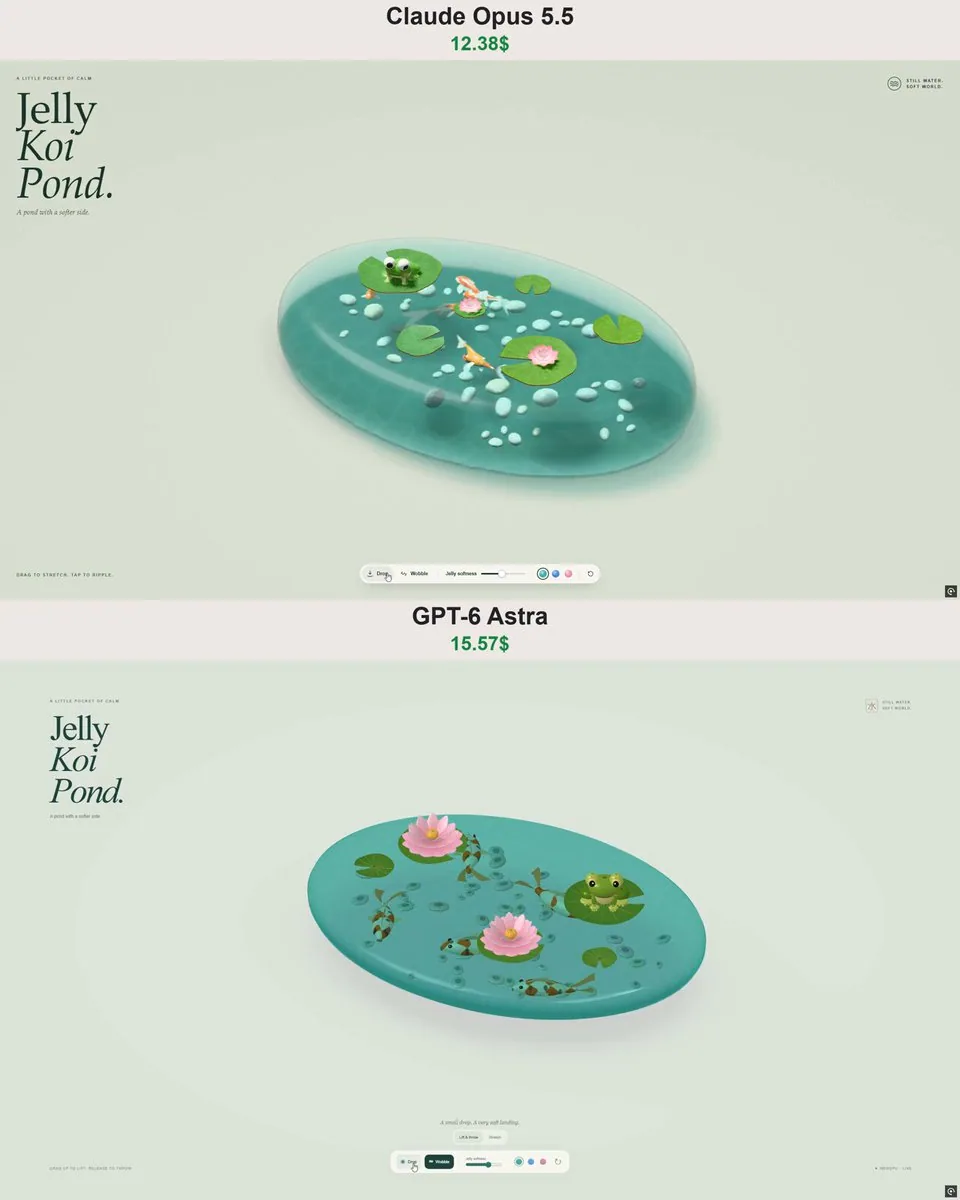
Build an interactive 3D “Jelly Koi Pond” in a single self-contained HTML file.

Create a small oval pond made entirely of soft, translucent jelly, floating just above a warm pastel background. Inside the jelly, add colorful koi fish and smooth little pebbles. Place lily pads, pink water lilies, and one adorable green frog with big eyes on the surface.

The pond should look like a beautiful miniature Japanese garden trapped inside a glossy gummy candy. Give it visible thickness, rounded edges, soft reflections, convincing transparency, and a soft shadow underneath.

Make the jelly physically interactive:
- Click and drag any part of the pond to stretch and lift it.
- Deform the pond locally rather than moving it as a rigid object.
- On release, let it bounce and wobble before gradually settling.
- Keep the fish, pebbles, lily pads, flowers, and frog attached to their positions within or on the deforming pond.
- Let the koi swim slowly when the pond is undisturbed.
- Clicking the surface should create a small ripple.

Add a compact, elegant control bar with Drag and Wobble modes, a jelly softness slider, three color options (mint, blue, and pink), and a reset button.

Use a minimal editorial layout with a large serif “Jelly Koi Pond.” title in the upper-left corner, small interaction hints, generous whitespace, and a soft sage background. Keep the pond as the main focus.

Use procedural geometry and materials, with no external image or model assets. Include lighting, shadows, mouse and touch support, and responsive resizing. Keep the simulation stable during strong dragging and repeated interactions.

Deliver a complete working experience, not a static mockup.
한국어 번역
하나의 완전히 독립적인 HTML 파일 안에 인터랙티브 3D “Jelly Koi Pond”를 제작하세요.

부드럽고 반투명한 젤리로만 이루어진 작은 타원형 연못을 만들어 따뜻한 파스텔 배경 바로 위에 떠 있게 하세요. 젤리 내부에는 다채로운 잉어와 매끄러운 작은 조약돌을 넣으세요. 수면 위에는 수련 잎, 분홍색 수련, 그리고 큰 눈을 가진 사랑스러운 초록 개구리 한 마리를 배치하세요.

연못은 광택 나는 구미 캔디 속에 갇힌 아름다운 미니어처 일본 정원처럼 보여야 합니다. 눈에 보이는 두께감, 둥근 모서리, 부드러운 반사, 설득력 있는 투명도, 그리고 아래쪽의 부드러운 그림자를 넣으세요.

젤리를 물리적으로 인터랙티브하게 만드세요:
- 연못의 어느 부분이든 클릭하고 드래그해 늘리고 들어 올릴 수 있게 하세요.
- 연못을 단단한 물체처럼 통째로 움직이지 말고 국소적으로 변형시키세요.
- 놓으면 튕기고 흔들리다가 서서히 안정되게 하세요.
- 물고기, 조약돌, 수련 잎, 꽃, 개구리는 변형되는 연못 내부 또는 표면의 원래 위치에 붙어 있게 하세요.
- 연못이 건드려지지 않을 때 잉어가 천천히 헤엄치게 하세요.
- 표면을 클릭하면 작은 물결이 생기게 하세요.

Drag와 Wobble 모드, 젤리 부드러움 슬라이더, 세 가지 색상 옵션(민트, 블루, 핑크), 리셋 버튼이 있는 간결하고 우아한 컨트롤 바를 추가하세요.

왼쪽 상단에 큰 세리프체 “Jelly Koi Pond.” 제목, 작은 인터랙션 힌트, 넉넉한 여백, 부드러운 세이지색 배경을 갖춘 미니멀한 에디토리얼 레이아웃을 사용하세요. 연못이 주된 초점이 되도록 유지하세요.

절차적 지오메트리와 재질을 사용하고, 외부 이미지나 모델 에셋은 사용하지 마세요. 조명, 그림자, 마우스 및 터치 지원, 반응형 크기 조정을 포함하세요. 강하게 드래그할 때와 반복적인 인터랙션 중에도 시뮬레이션이 안정적으로 유지되게 하세요.

정적인 목업이 아니라 완전히 작동하는 경험을 제공하세요.