UGC 참조 훔치기 미학: Astra로 JSON 분해 → 2.5로 결과물
"cinematic soft grain" 같은 작문은 그만. 진짜 사진을 Astra에 넣어 색감/조명 JSON으로 분해한 뒤 Image 2.5에 넣어 캐릭터를 고정하세요. 가짜 UGC가 진짜 같은 느낌이 되고, 이 흐름은 재사용 가능합니다.
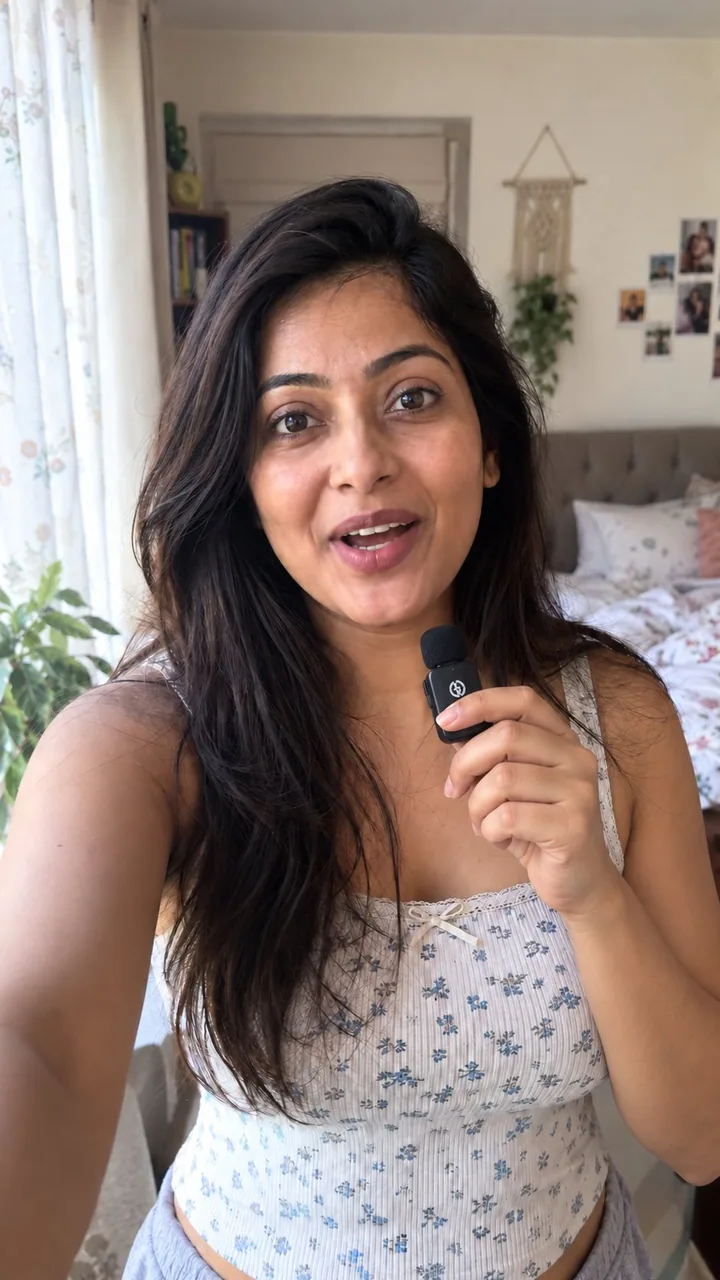
프롬프트
if your ai pr stills still look fake, you’re probably describing the vibe instead of stealing it

here’s what i do with gpt-image 2.5 when i need real-looking ugc photos for a product

chatgpt image 2.5 is currently the best model but with no reference it still goes plastic

so i don’t write “cinematic natural light soft grain” essays

i grab a real photo that already has the look i want

drop it into gpt-6 astra and say

“analyze this photo and give me a very detailed json prompt describing its visual style. break down the color grading, the lighting and the exact colors so i can apply that look to my own images”

astra reverse-engineers the grade for me
i was never typing that accurately by hand

take the json into gpt-image 2.5
attach the product
prompt

“using this json as reference, generate a person holding my product”

then i generate one without the json and compare
the lighting + color grade is the whole difference

when i like the person, i save that frame
every next shot i reattach it and say keep the same face

that’s how i keep one consistent creator across a whole product set
instead of a new random face every time

want a different mood
i just tweak the json in astra and run it again

quick check before you post
flat default colors
plastic grain

fix those two first

json handles the light
character ref handles consistency
you handle the product in frame

that’s an actual ugc stills workflow
not hoping the model feels realistic today

I have created a playbook for it

Comment " workflow" to get the playbook
한국어 번역
AI PR 스틸컷이 아직도 가짜처럼 보인다면, 아마 분위기를 훔치는 대신 묘사하고 있는 겁니다

제품용으로 진짜처럼 보이는 UGC 사진이 필요할 때 gpt-image 2.5로 제가 하는 방법입니다

chatgpt image 2.5는 현재 최고의 모델이지만 참조 이미지가 없으면 여전히 플라스틱처럼 나옵니다

그래서 저는 “cinematic natural light soft grain” 같은 장문을 쓰지 않습니다

원하는 룩이 이미 담긴 실제 사진을 하나 가져옵니다

그걸 gpt-6 astra에 넣고 이렇게 말합니다

“이 사진을 분석해서 시각적 스타일을 설명하는 아주 상세한 json 프롬프트를 만들어줘. 컬러 그레이딩, 조명, 정확한 색상을 분해해서 내 이미지에 그 룩을 적용할 수 있게 해줘”

astra가 제 대신 그레이딩을 역설계해줍니다
손으로 그렇게 정확하게 타이핑한 적은 없었죠

그 json을 gpt-image 2.5에 넣습니다
제품을 첨부하고
프롬프트

“이 json을 참조로 사용해서 내 제품을 들고 있는 사람을 생성해줘”

그다음 json 없이 하나를 생성해서 비교합니다
조명 + 컬러 그레이딩이 차이의 전부입니다

마음에 드는 인물이 나오면 그 프레임을 저장합니다
다음 촬영마다 다시 첨부하고 같은 얼굴을 유지하라고 말합니다

이렇게 해서 제품 세트 전체에서 한 명의 일관된 크리에이터를 유지합니다
매번 새로운 랜덤 얼굴이 나오는 대신에요

다른 분위기를 원하면
astra에서 json만 살짝 바꿔 다시 돌립니다

게시 전 빠른 점검
밋밋한 기본 색상
플라스틱 같은 그레인

이 두 가지를 먼저 고치세요

빛은 json이
일관성은 캐릭터 레퍼런스가
프레임 속 제품은 당신이 담당합니다

이게 실제 UGC 스틸컷 워크플로입니다
오늘 모델이 사실적으로 느껴지길 바라는 게 아니라

이를 위한 플레이북을 만들었습니다

플레이북을 받으려면 " workflow"라고 댓글을 남기세요
출처
- 원작자
- 0x_harness
- 게시일
- 2026-09-11
- 원문 출처
- 원문 보기 ↗
- 수록 출처
- xianyu110/awesome-gpt-image2.5 · 2098309152141607051 · MIT