이미지 편집 10수: keep-list를 먼저 쓰고 바꿀 대상만 지목하라
“make it better”라고 하면 당신은 행인으로 바뀐다. 복사해 쓸 수 있는 편집 문장 10개: 배경만 변경/얼굴 고정/조명 교체/행인 제거/겉옷만 교체/선택 영역 손 보정/프로필 크롭/유분광 제거/제품 이동 + 라벨 유지/다음 턴엔 심도만. Images 2.5는 keep-list를 확실히 못 박을 때 더 말을 잘 듣는다.
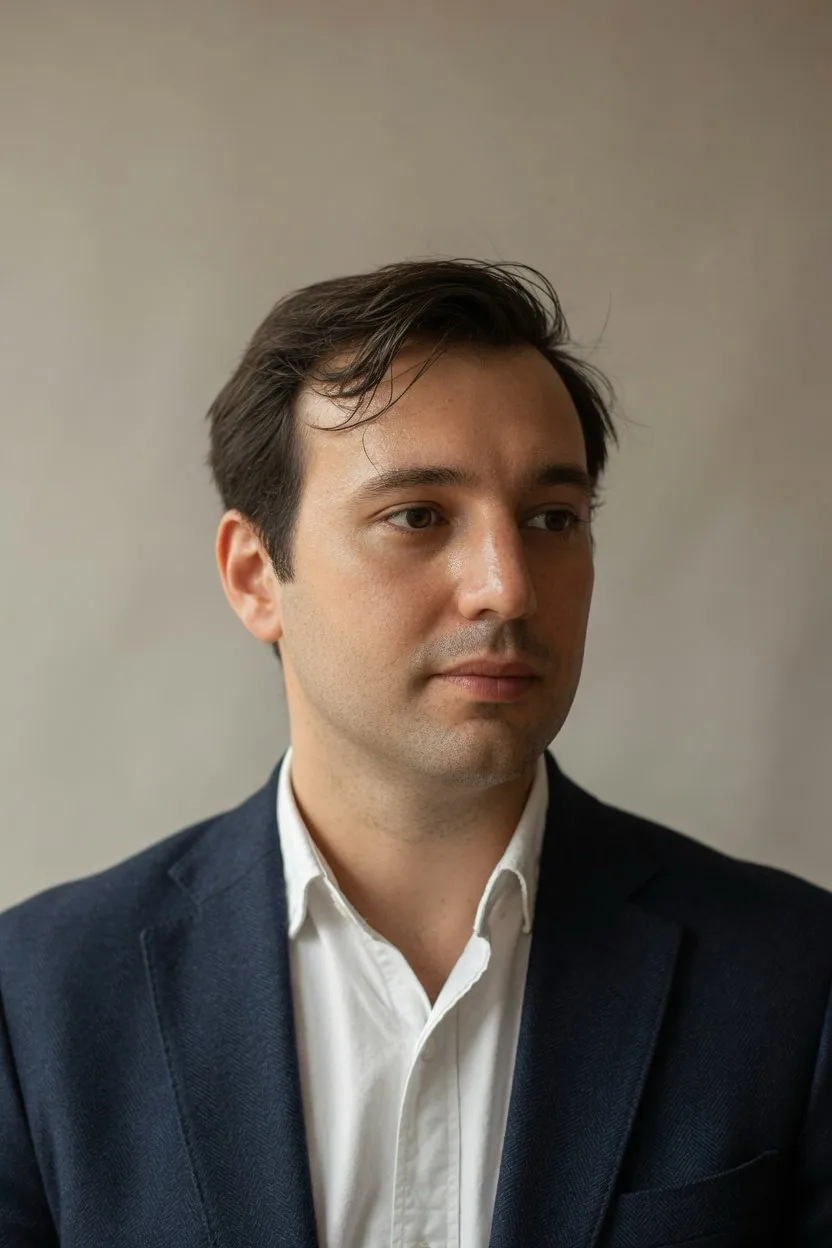
프롬프트
upload a photo, paste one prompt per turn:

1. One change
"Change only the background to a plain warm-gray wall. Keep my face, hair, skin tone, clothes, pose, and camera angle exactly as they are."

2. Face lock
"Use this upload as the identity reference. Keep the same face, hairline, and age. Put me standing in a quiet office with window light from the left."

3. Left window light
"Relight this portrait with soft natural light from a window on the left. Keep my face, expression, clothes, and background geometry the same. Do not add a filter look."

4. Remove the extra person
"Remove the person standing behind my left shoulder. Rebuild the wall and the light as if they were never there. Keep my face, pose, and the rest of the room the same."

5. Wardrobe only
"Change only the jacket to a navy wool blazer. Keep my face, hair, body shape, pose, background, and lighting the same."

6. Select and fix
"In the selected area only, remove the object in my hand. Rebuild the hidden fingers and sleeve so they match the rest of the photo. Leave everything outside the selection untouched."

7. Headshot crop
"Recrop this to a chest-up LinkedIn headshot. Keep my face, expression, and clothing unchanged. Do not restyle my hair or smooth my skin."

8. Shine only
"Reduce only shine on the forehead and nose. Keep pores, flyaway hair, and skin texture. Do not change my facial features."

9. Product, keep the label
"Move this product onto a kitchen counter in daylight. Keep the label text, logo, bottle shape, and color exactly as they are."

10. Next turn
"Keep the last edit. Change only the background blur, as if this was shot on a 50mm lens at f/2. Do not retouch my face or clothes."

OpenAI's image guide: 1-3 clear sentences, and say what stays the same. the keep-list is what makes the edit look like your photo.
한국어 번역
사진을 업로드하고, 한 턴에 프롬프트 하나씩 붙여넣어라:

1. 한 번에 하나만 변경
"배경만 단조로운 따뜻한 회색 벽으로 바꿔라. 내 얼굴, 머리카락, 피부톤, 옷, 포즈, 카메라 앵글은 지금 그대로 정확히 유지하라."

2. 얼굴 고정
"이 업로드 이미지를 인물 동일성 레퍼런스로 사용하라. 같은 얼굴, 헤어라인, 나이를 유지하라. 왼쪽에서 창문 빛이 들어오는 조용한 사무실에 내가 서 있게 하라."

3. 왼쪽 창문 조명
"이 인물 사진을 왼쪽 창문에서 들어오는 부드러운 자연광으로 다시 조명하라. 내 얼굴, 표정, 옷, 배경의 형태는 그대로 유지하라. 필터 느낌은 넣지 마라."

4. 옆에 있는 다른 사람 제거
"내 왼쪽 어깨 뒤에 서 있는 사람을 제거하라. 애초에 없었던 것처럼 벽과 빛을 다시 구성하라. 내 얼굴, 포즈, 방의 나머지 부분은 그대로 유지하라."

5. 옷만 교체
"재킷만 네이비 울 블레이저로 바꿔라. 내 얼굴, 머리카락, 체형, 포즈, 배경, 조명은 그대로 유지하라."

6. 선택 후 보정
"선택한 영역 안에서만 내 손에 들린 물건을 제거하라. 가려졌던 손가락과 소매를 사진의 나머지 부분과 어울리게 다시 그려라. 선택 영역 밖은 손대지 마라."

7. 프로필 크롭
"이 사진을 가슴 위까지 나오는 LinkedIn 프로필용으로 다시 크롭하라. 내 얼굴, 표정, 의상은 그대로 유지하라. 내 머리를 다시 스타일링하거나 피부를 매끄럽게 하지 마라."

8. 윤기만
"이마와 코의 윤기만 줄여라. 모공, 잔머리, 피부결은 유지하라. 내 이목구비를 바꾸지 마라."

9. 제품, 라벨은 유지
"이 제품을 낮 자연광이 드는 주방 조리대 위로 옮겨라. 라벨 텍스트, 로고, 병 모양, 색상을 정확히 그대로 유지하라."

10. 다음 턴
"마지막 편집을 유지하라. 50mm 렌즈 f/2로 촬영한 것처럼 배경 흐림만 바꿔라. 내 얼굴이나 옷은 리터치하지 마라."

OpenAI의 이미지 가이드: 명확한 문장 1~3개, 그리고 무엇이 그대로 유지되는지 말하라. keep-list가 바로 편집 결과를 당신의 사진처럼 보이게 만든다.
출처
- 원작자
- NoravaleAI
- 게시일
- 2026-09-21
- 원문 출처
- 원문 보기 ↗
- 수록 출처
- xianyu110/awesome-gpt-image2.5 · 2102033775752560738 · MIT