改圖十式:先寫 keep-list 再點名改什麼
「make it better」會把你改成路人。十條可複製編輯句:只改背景/鎖臉/換光/去路人/只換外套/選區修手/頭像裁切/去油光/移產品保標/下一輪只改景深。Images 2.5 更聽話,前提是 keep-list 寫死。
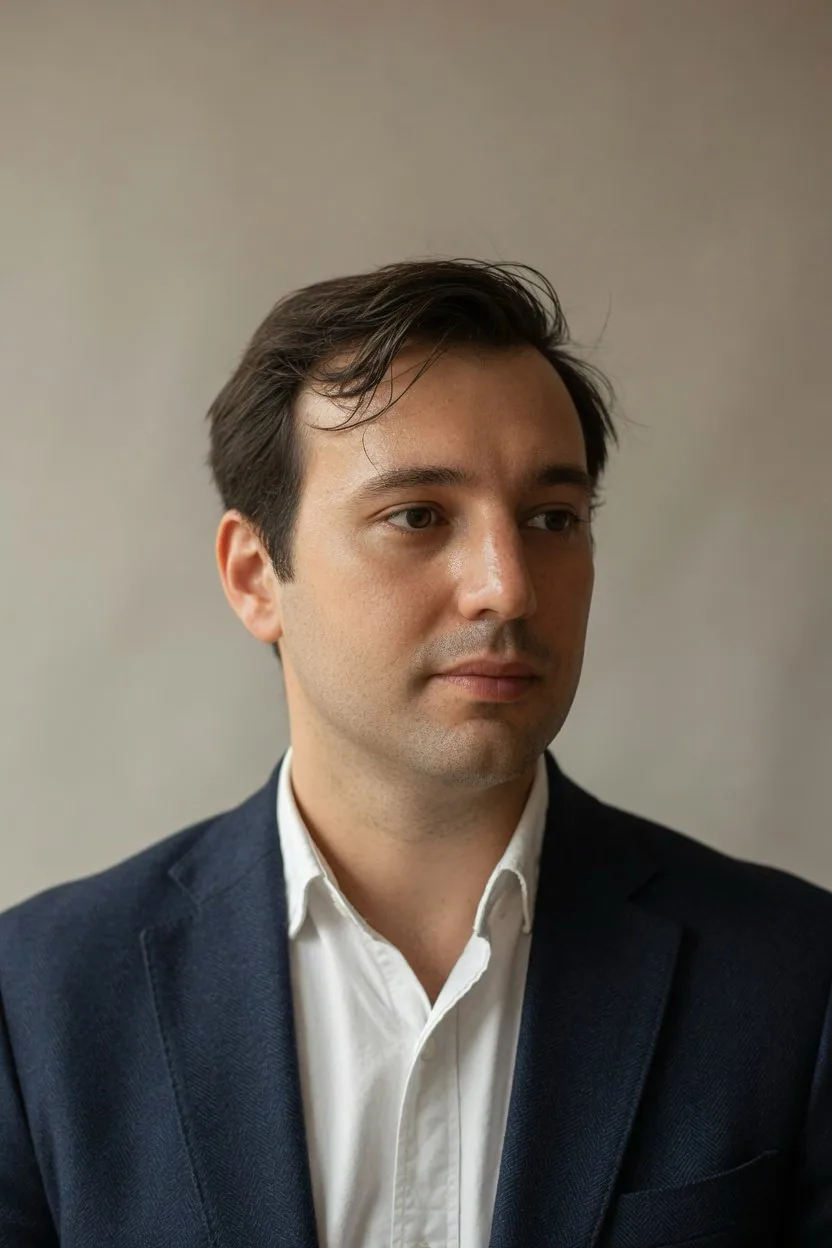
提示詞
upload a photo, paste one prompt per turn:

1. One change
"Change only the background to a plain warm-gray wall. Keep my face, hair, skin tone, clothes, pose, and camera angle exactly as they are."

2. Face lock
"Use this upload as the identity reference. Keep the same face, hairline, and age. Put me standing in a quiet office with window light from the left."

3. Left window light
"Relight this portrait with soft natural light from a window on the left. Keep my face, expression, clothes, and background geometry the same. Do not add a filter look."

4. Remove the extra person
"Remove the person standing behind my left shoulder. Rebuild the wall and the light as if they were never there. Keep my face, pose, and the rest of the room the same."

5. Wardrobe only
"Change only the jacket to a navy wool blazer. Keep my face, hair, body shape, pose, background, and lighting the same."

6. Select and fix
"In the selected area only, remove the object in my hand. Rebuild the hidden fingers and sleeve so they match the rest of the photo. Leave everything outside the selection untouched."

7. Headshot crop
"Recrop this to a chest-up LinkedIn headshot. Keep my face, expression, and clothing unchanged. Do not restyle my hair or smooth my skin."

8. Shine only
"Reduce only shine on the forehead and nose. Keep pores, flyaway hair, and skin texture. Do not change my facial features."

9. Product, keep the label
"Move this product onto a kitchen counter in daylight. Keep the label text, logo, bottle shape, and color exactly as they are."

10. Next turn
"Keep the last edit. Change only the background blur, as if this was shot on a 50mm lens at f/2. Do not retouch my face or clothes."

OpenAI's image guide: 1-3 clear sentences, and say what stays the same. the keep-list is what makes the edit look like your photo.
中文翻譯
改圖十式:先寫 keep-list 再點名改什麼

上傳一張照片,每一輪粘貼一條提示詞:

1. 只改一處
“只把背景換成一面素淨的暖灰色牆。我的臉、頭髮、膚色、衣服、姿勢和機位完全保持原樣。”

2. 鎖臉
“把這次上傳的圖作爲身份參考。保持同一張臉、同樣的髮際線和年齡。讓我站在一間安靜的辦公室裏,光從左側窗戶照進來。”

3. 左側窗光
“用左側窗戶透入的柔和自然光重新給這張肖像打光。我的臉、表情、衣服和背景結構保持不變。不要加濾鏡感。”

4. 去掉多餘的人
“刪掉站在我左肩後方的那個人。把牆面和光線重建得好像他從沒出現過。我的臉、姿勢以及房間其餘部分保持原樣。”

5. 只換服裝
“只把外套換成藏藍色羊毛西裝上衣。我的臉、頭髮、體型、姿勢、背景和光線保持不變。”

6. 選區修復
“只在選中的區域內,去掉我手裏拿的東西。把被擋住的指頭和袖口重建出來,與照片其餘部分一致。選區之外的一切都不要動。”

7. 裁成頭像
“把這張重新裁成胸以上的 LinkedIn 頭像。我的臉、表情和衣着不變。不要給我換髮型,也不要磨皮。”

8. 只壓油光
“只減弱額頭和鼻子上的油光。保留毛孔、碎髮和皮膚質感。不要改變我的五官。”

9. 產品圖,標籤別動
“把這個產品挪到日光下的廚房檯面上。標籤文字、logo、瓶身形狀和顏色完全保持原樣。”

10. 下一輪
“保留上一次的修改。只改背景虛化,就當這是用 50mm 鏡頭、f/2 光圈拍的。不要修我的臉和衣服。”

OpenAI 的圖像指南:寫 1-3 句清晰的話,並說明哪些保持不變。正是這份 keep-list 讓你的改圖看起來仍像你自己的照片。
溯源
- 原作者
- NoravaleAI
- 發佈日期
- 2026-09-21
- 原始出處
- 查看原帖 ↗
- 收錄來源
- xianyu110/awesome-gpt-image2.5 · 2102033775752560738 · MIT