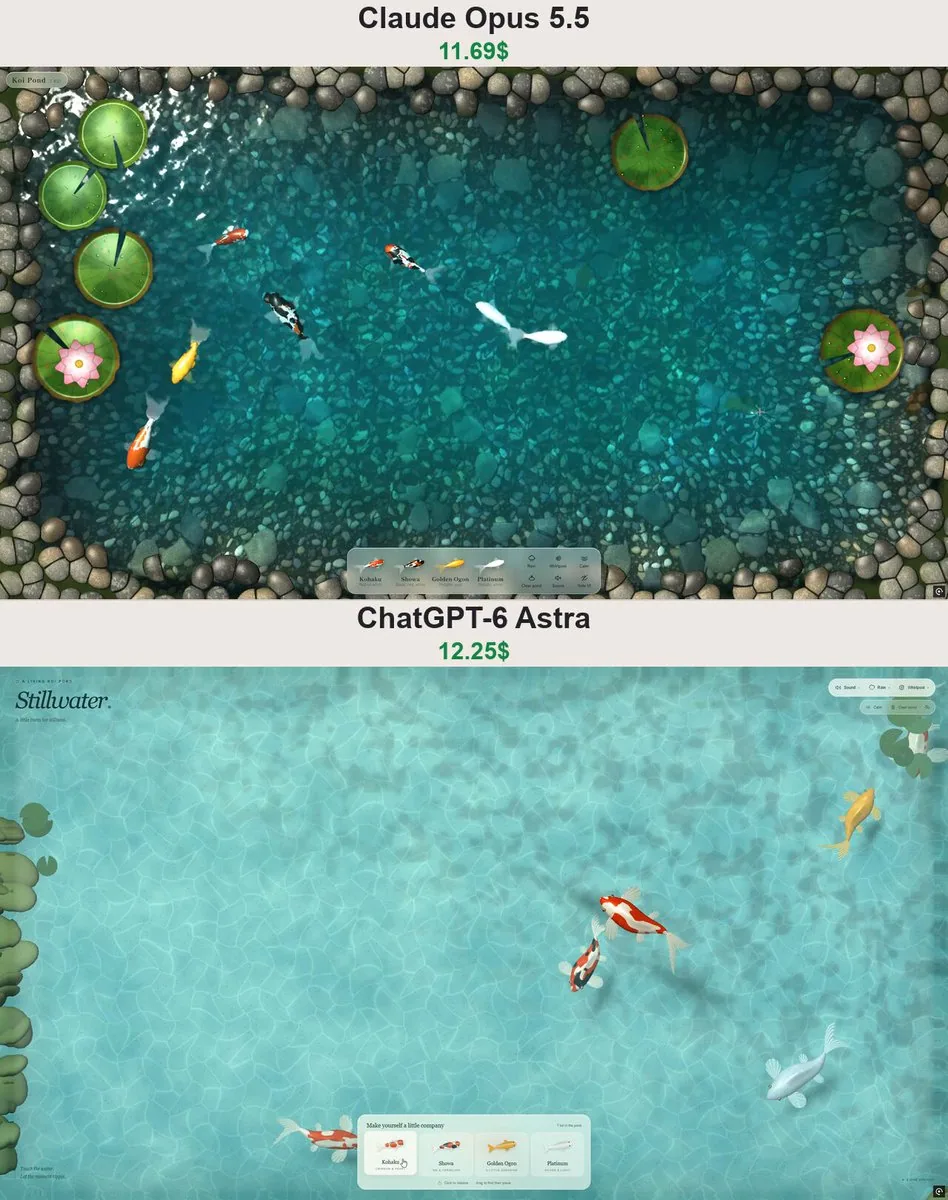
Build a beautiful, full-screen interactive koi pond using Three.js + WebGL. Use a top-down view with clear turquoise water, sunlight, animated caustics on the pond floor, and a convincing sense of depth.

Place an elegant translucent selection panel at the bottom with four koi varieties: Kohaku, Showa, Golden Ogon, and Platinum. Clicking a card releases that fish into the pond. Dragging a fish from its card lets the user choose exactly where to drop it.

Make each landing feel satisfying: a splash with droplets, a brief depression in the water surface, and expanding ripples. The fish should then dive beneath the surface. Use refraction and depth cues so the koi clearly look submerged.

Create detailed 3D koi with eyes, scales, fins, and flowing tails. Animate their bodies, tails, and fins together. Each fish should independently change direction and speed, turn smoothly near boundaries, and avoid other fish.

Let users touch and drag across the water to create ripples. Add rain and a movable whirlpool whose current affects the fish. Include Calm, Clear pond, and a control to hide the interface for screen recording.

Use Web Audio to create landing splashes, soft musical droplets, gentle swimming water sounds, rain, and a whirlpool sound. Enable audio through a Sound button, fade it smoothly when muted, and pause it when the browser tab is hidden.

Keep all labels and buttons in English. Make the layout responsive for mobile. Optimize rendering and animation for smooth performance with several dozen fish.

Deliver a complete, working website with polished visuals and functional interactions.