Photorealistic UGC Image Strategy
一套通過參考詳細視覺風格 JSON,創建人物手持特定產品且風格一致的生活方式圖像的工作流。
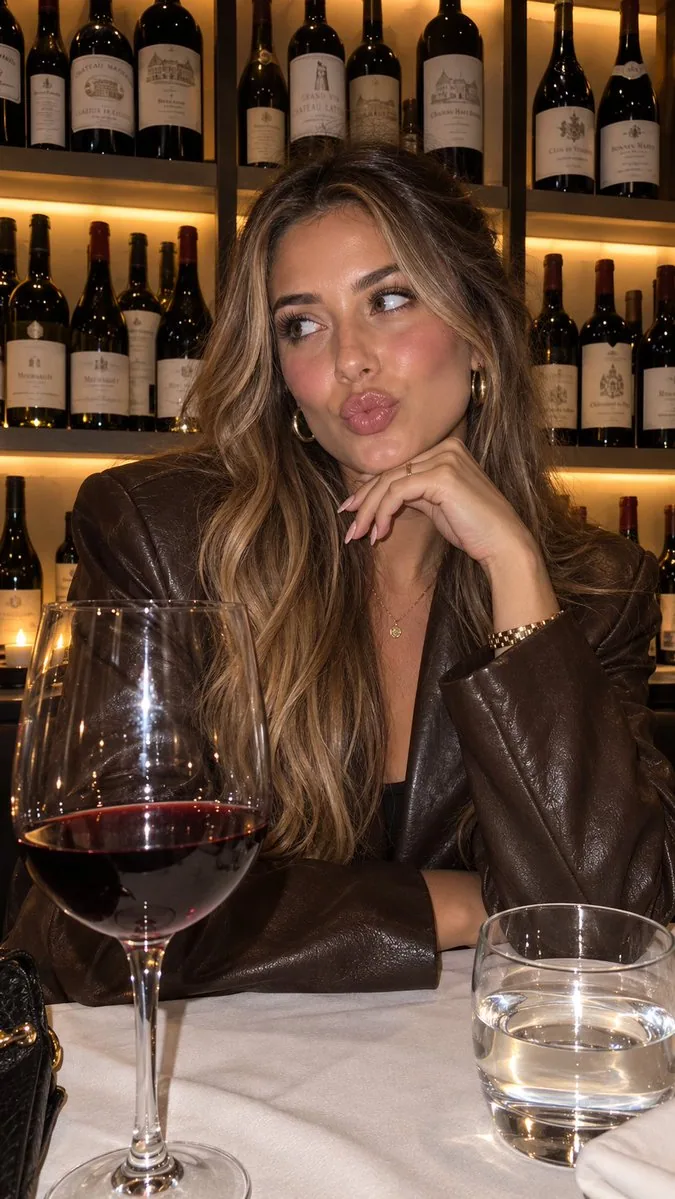
提示詞
“using this json as reference, generate a person holding my product [attach product image]”

> GPT-Image 2.5 generates the photo with that person holding your product

compare it with a version generated without the reference and look at the difference in the lighting and color grading

> save the generated character photo you’re happy with as your reference

> for future generations, attach the character photo each time and ask it to preserve the same facial features

now you have a reference character you can use across multiple product photos

you can also iterate the base json prompt and chat back and forth with GPT-6 Astra based on what you want, then repeat the same process..

i like this because it gives you much more direction over the color grading instead of leaving everything up to the model

the basic colours and grainy look are some of the things that can make an image feel AI-generated, so pay attention to those when comparing your results

this is how you can start building a library of high quality ugc images around your own products

the json gives GPT-Image 2.5 the lighting and color direction, your character reference helps with consistency, and you control the product placement

once you have that starting point, you can keep creating variations without writing everything from scratch

GPT-Image 2.5 Sunburst & Flare are available on Higgsfield. try this with your own product and reference images there
中文翻譯
分析這張照片,並提供一份非常詳細的 JSON 提示詞來描述其視覺風格。請務必詳細拆解色彩分級、光照以及照片中的所有確切顏色,以便我能將這種外觀應用到我自己的圖像中。使用此 JSON 作爲參考,生成一個手持我產品的人物。保持相同的面部特徵。
溯源
- 原作者
- Miko
- 發佈日期
- 2026-09-09
- 原始出處
- 查看原帖 ↗
- 收錄來源
- YouMind-OpenLab/awesome-gpt-image-2 · 33936 · CC-BY-4.0