角色参照→双格「笔记本屏幕伸手牵你」完整 prompt
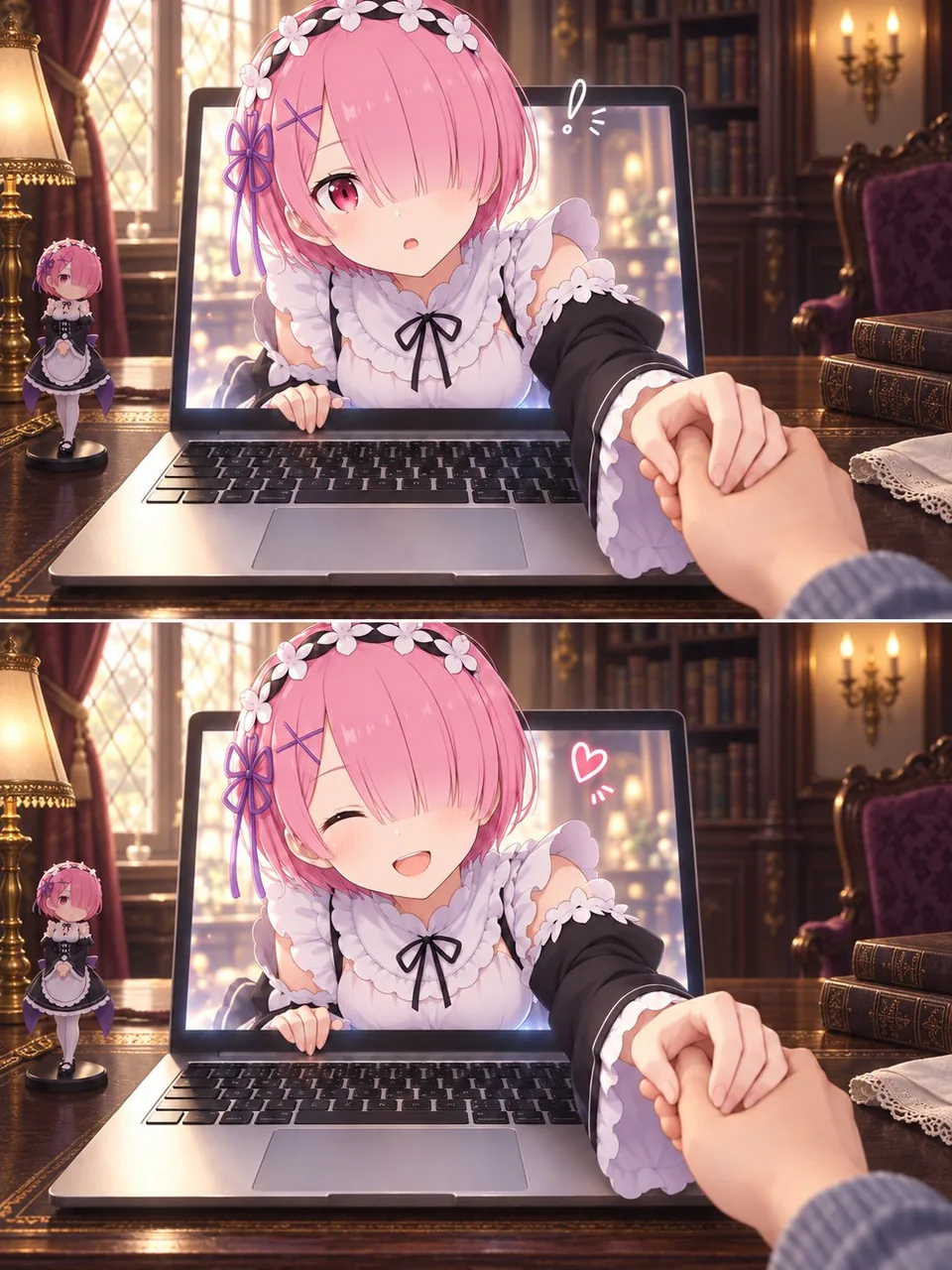
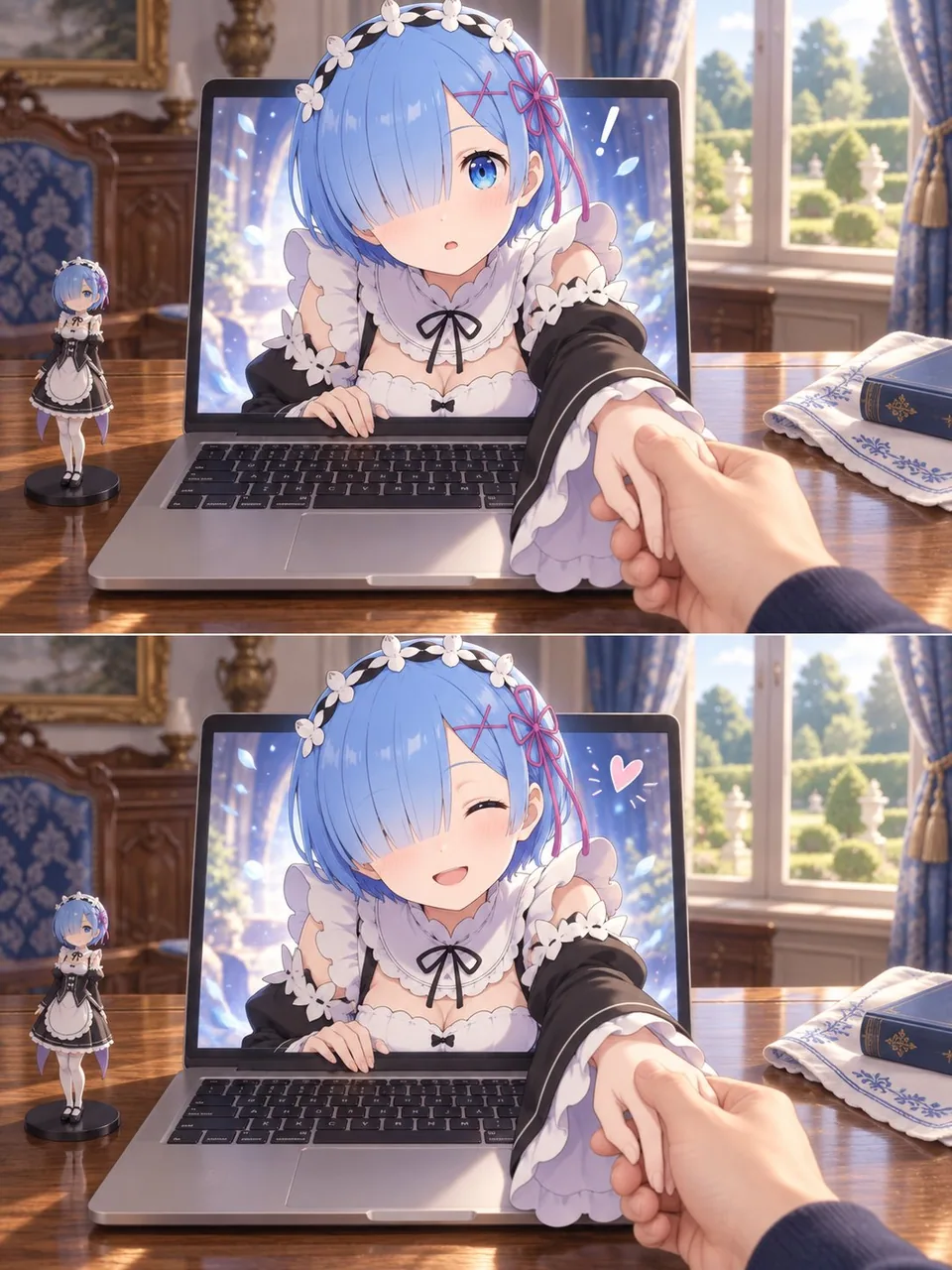
任意角色参考图焊进双格 3:4:上惊下笑,角色从笔记本屏幕伸出手牵住第一人称的手。破第四面墙别靠玄学姿势,先锁角色细节再统一桌面世界观。
提示词
Use my uploaded image as the sole character reference. Create a two-panel image of the character reaching out of a laptop screen and gently holding my hand in the real world.

CHARACTER ACCURACY
Faithfully preserve the character’s hairstyle, hair color, eyes, facial features, accessories, outfit, and signature details. Pay particular attention to which eye is covered by the bangs and the placement of accessories. Maintain the character’s original art style and personality, with a complete outfit and natural proportions.

COMPOSITION
Create a portrait image with a 3:4 aspect ratio, divided into two equally sized horizontal panels stacked vertically.
Use a first-person perspective from someone seated at a desk. An open laptop sits in the center, with its keyboard and the desktop clearly visible.
The character’s head, shoulders, and one arm emerge through the laptop screen, while the rest of their body remains inside the screen, creating a convincing “breaking the fourth wall” illusion.
One realistic human hand enters from the lower-right foreground and gently holds the character’s extended hand. The character’s other hand rests naturally on the lower edge of the screen.
Make the character’s face the main focal point, with the joined hands creating natural foreground depth and foreshortening.

TWO-PANEL EXPRESSION CHANGE
Top panel: The character looks toward the viewer with a slightly surprised or curious expression. Add a small hand-drawn exclamation mark beside their head.
Bottom panel: Keep the same camera angle and hand-holding pose, but change the expression to a happy smile that suits the character’s personality. Add a small hand-drawn heart.
Keep the character design, background, object placement, and lighting consistent across both panels. The main change should be the facial expression.

CHARACTER-MATCHED ENVIRONMENT
Design the room, furniture, desktop, and decorations to suit the character’s fictional world, identity, outfit, and signature colors.
Give the setting a clear connection to the character. Do not reuse a generic room or a fixed set of props for every character. Do not add ceramic jars, vases, or tea sets by default.
Place a small figurine of the same character on the left side of the laptop, matching their current appearance.
Keep other props minimal, relevant, and secondary to the character.
Retain the laptop as the visual bridge between the real world and the character’s world.

VISUAL STYLE
Preserve the character’s illustrated style, while rendering the room, laptop, desk, and viewer’s hand with realistic photographic textures.
Unify the two styles through consistent lighting, contact shadows, and perspective.
Use refined detail, soft lighting, subtle background blur, and a warm atmosphere with natural, gentle interaction.

QUALITY REQUIREMENTS
Anatomically coherent hands, correct finger counts, and clearly readable hand contact.
No extra limbs, unintended duplicate characters, misplaced accessories, text, captions, brand logos, or watermarks.
中文译文
使用我上传的图片作为唯一的角色参考。创建一张双格图像:角色从笔记本电脑屏幕中伸出手,在现实世界中轻轻握住我的手。

角色准确性
忠实保留角色的发型、发色、眼睛、面部特征、配饰、服装和标志性细节。特别注意刘海遮住的是哪只眼睛,以及配饰的位置。保持角色原有的画风与个性,服装完整、比例自然。

构图
创建一张 3:4 宽高比的竖幅图像,分为上下堆叠的两个等大横向画格。
使用坐在书桌前的人的第一人称视角。一台打开的笔记本电脑位于中央,键盘和桌面清晰可见。
角色的头部、肩膀和一只手臂从笔记本屏幕中探出,身体其余部分仍留在屏幕内,营造出可信的“打破第四面墙”错觉。
一只逼真的人手从右下方前景伸入,轻轻握住角色伸出的手。角色的另一只手自然地搭在屏幕下边缘。
让角色的脸成为主要视觉焦点,交握的双手形成自然的前景纵深与透视缩短。

双格表情变化
上格:角色看向观者,表情略带惊讶或好奇。在其头旁添加一个小小手绘感叹号。
下格:保持相同的机位与握手姿势,但把表情改为符合角色个性的开心笑容。添加一个手绘小爱心。
保持两个画格中角色设计、背景、物体摆放和光照一致。主要变化应是面部表情。

与角色匹配的环境
设计房间、家具、桌面和装饰,使其契合角色所处的虚构世界、身份、服装和标志性配色。
让环境与角色产生明确关联。不要在每个角色身上重复使用通用房间或一套固定道具。不要默认添加陶罐、花瓶或茶具。
在笔记本电脑左侧放置一个该角色的小手办,与其当前外貌一致。
其他道具保持极简、相关,并次要于角色。
保留笔记本电脑作为现实世界与角色世界之间的视觉桥梁。

视觉风格
保留角色的插画风格,同时用写实的摄影质感来渲染房间、笔记本电脑、书桌和观者的手。
通过一致的光照、接触阴影和透视统一这两种风格。
使用精致的细节、柔和的光线、微妙的背景虚化,以及温暖氛围中自然轻柔的互动。

质量要求
解剖结构合理的手部、正确的手指数,以及清晰可辨的手部接触。
无多余肢体、意外的重复角色、错位的配饰、文字、字幕、品牌 logo 或水印。
溯源
- 原作者
- Mayz1169
- 发布日期
- 2026-09-29
- 原始出处
- 查看原帖 ↗
- 收录来源
- xianyu110/awesome-gpt-image2.5 · 2104882223187218503 · MIT