GIFレシピを固定:1:1・16フレーム・12fps
APIのmax+4Kでスプライトシートを出力してから動かす。短いマーケティング用GIFのテンプレート、フレーム数をもう勘で決めない。
プロンプト
I’ve seen quite a few ChatGPT Image 2.5 GIF workflows and run a few tests myself. My favorite combination so far is a 1:1 canvas, 16 frames, and playback at 12fps.

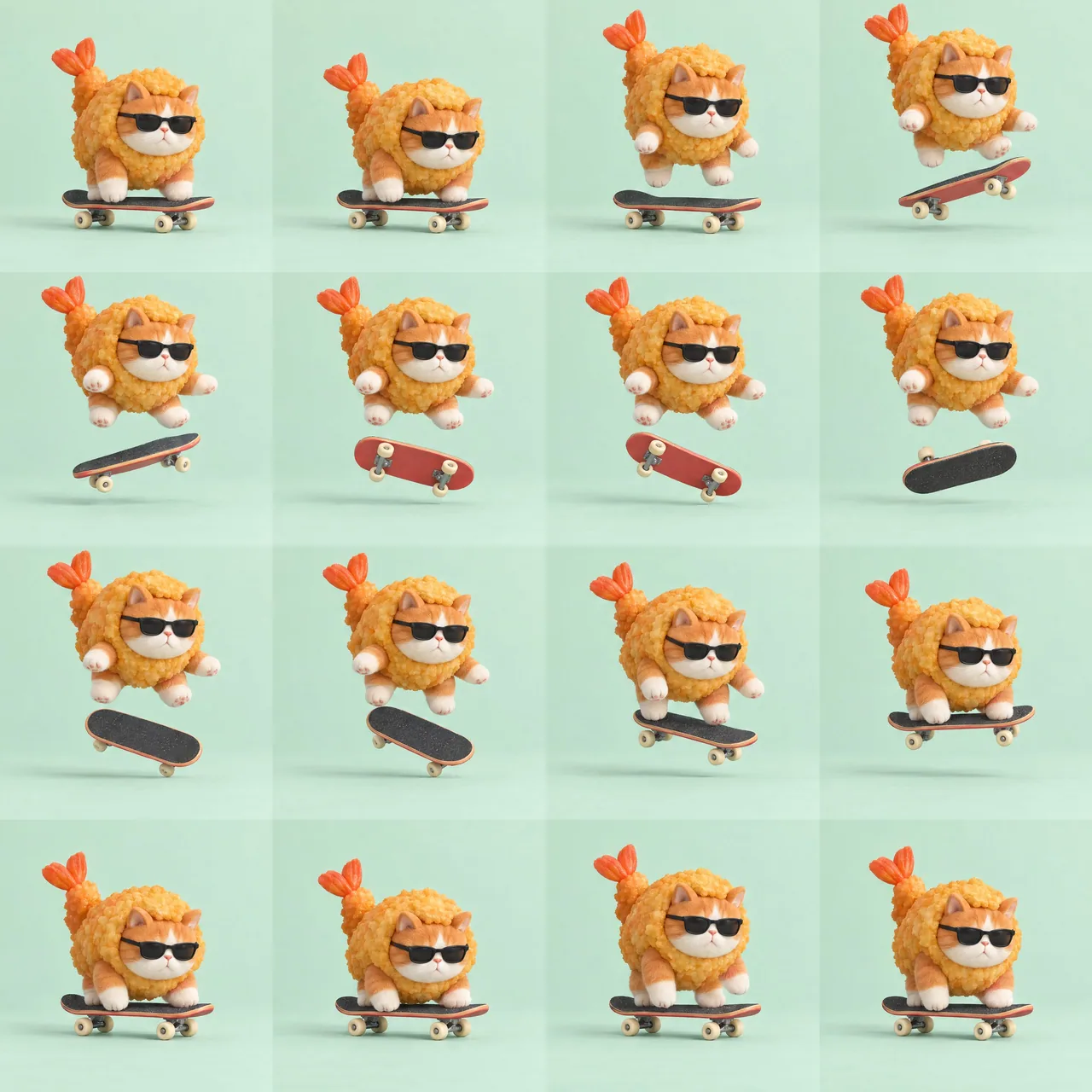
For this one, I used the API with max + 4K to generate a sprite sheet of a cat in a fried-shrimp costume doing a skateboard flip. Then I gave the image to Codex to split into frames and assemble the GIF. The details came out noticeably clearer than the earlier versions I generated with Codex’s built-in imagegen tool.

Here’s a simple example using my 2880×2880 source image:

→ 3×3 grid, 9 frames: 960×960 per frame
→ 4×4 grid, 16 frames: 720×720 per frame
→ 5×5 grid, 25 frames: 576×576 per frame

The more frames you pack in, the fewer pixels each frame gets. That includes the background, too. A small character with lots of empty space around it leaves fewer pixels for the details.

The same 16 frames play in one second at 16fps. I ended up exporting at 12fps, with the GIF lasting about 1.33 seconds. The motion felt less rushed.

Good-looking individual frames don’t always make a smooth animation. Once it’s playing, you can still spot inconsistencies in the board’s rotation and wheel positions. There’s still a bit of luck involved, haha.

Prompt in the first reply. Paste it into a Codex session that can generate images, swap out the character and action, and give it a try 👇
日本語訳
ChatGPT Image 2.5 のGIFワークフローをかなり見て、自分でもいくつか試しました。今のところ一番好きな組み合わせは、1:1キャンバス、16フレーム、12fpsでの再生です。

これは API の max + 4K を使って、エビフライの衣装を着た猫がスケートボードでフリップをするスプライトシートを生成しました。その後、画像を Codex に渡してフレームに分割し、GIFに組み立ててもらいました。ディテールは、以前に Codex 内蔵の imagegen ツールで生成したバージョンより明らかにクリアでした。

2880×2880 の元画像を使った簡単な例です:

→ 3×3グリッド、9フレーム:1フレーム 960×960
→ 4×4グリッド、16フレーム:1フレーム 720×720
→ 5×5グリッド、25フレーム:1フレーム 576×576

フレームを詰め込むほど、1フレームあたりのピクセル数は減ります。背景も含めてです。周囲に余白が多い小さなキャラクターは、ディテールに割けるピクセルが少なくなります。

同じ16フレームは16fpsで1秒で再生されます。私は結局12fpsで書き出し、GIFは約1.33秒になりました。動きが慌ただしく感じにくかったです。

個々のフレームが良く見えても、必ずしも滑らかなアニメーションになるわけではありません。再生してみると、ボードの回転や車輪の位置に不整合がまだ分かります。まだ多少の運も必要です、はは。

プロンプトは最初の返信にあります。画像生成ができる Codex セッションに貼り付けて、キャラクターと動作を差し替えて試してみてください 👇
出典
- 原作者
- Voxyz_ai
- 公開日
- 2026-09-10
- 原典
- 元の投稿を見る ↗
- 収録元
- xianyu110/awesome-gpt-image2.5 · 2098063955096633467 · MIT