GIF 레시피 고정: 1:1 · 16프레임 · 12fps
API max+4K로 스프라이트 시트를 뽑아 움직이게. 짧은 마케팅 움짤 템플릿, 이제 프레임 수를 추측하지 말 것.
프롬프트
I’ve seen quite a few ChatGPT Image 2.5 GIF workflows and run a few tests myself. My favorite combination so far is a 1:1 canvas, 16 frames, and playback at 12fps.

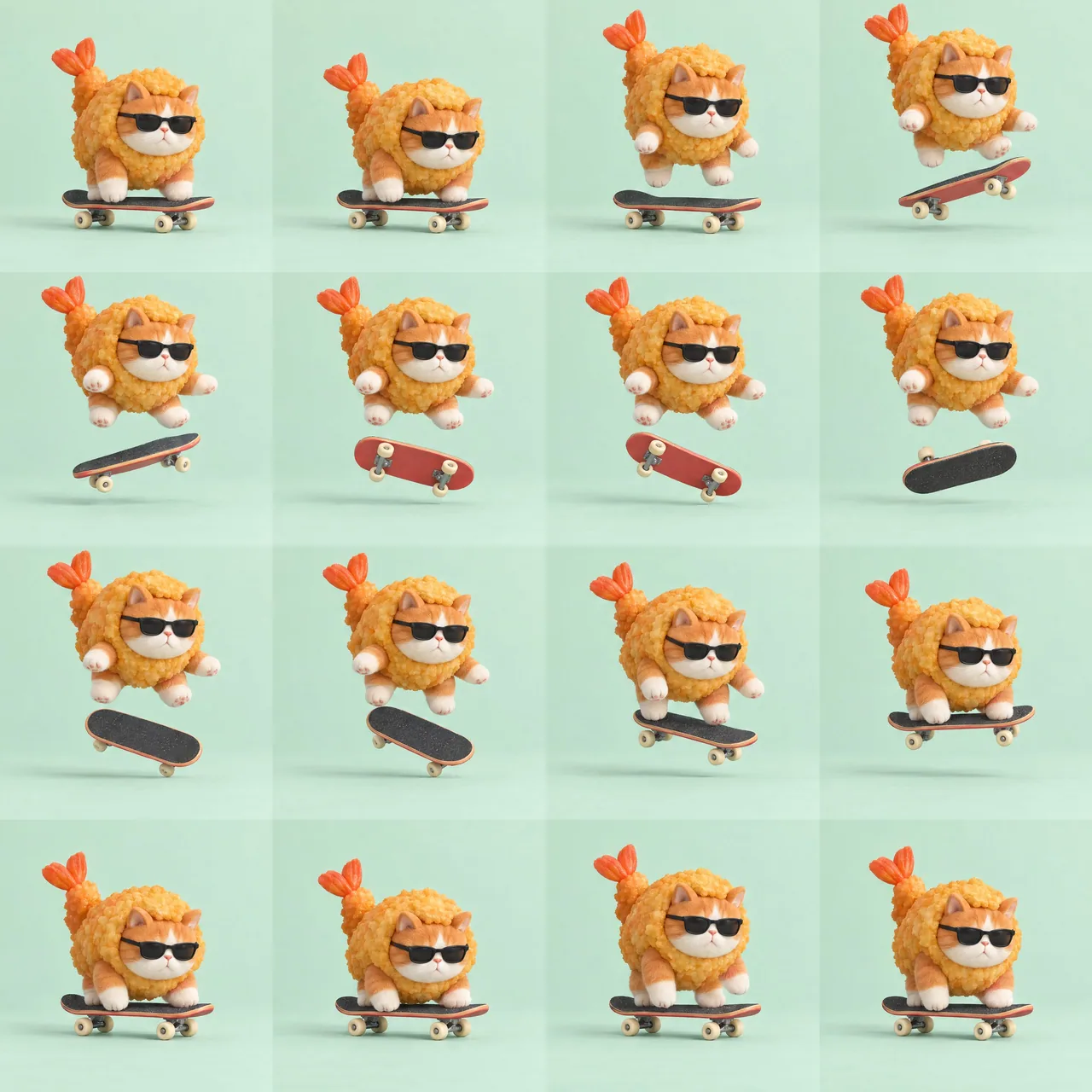
For this one, I used the API with max + 4K to generate a sprite sheet of a cat in a fried-shrimp costume doing a skateboard flip. Then I gave the image to Codex to split into frames and assemble the GIF. The details came out noticeably clearer than the earlier versions I generated with Codex’s built-in imagegen tool.

Here’s a simple example using my 2880×2880 source image:

→ 3×3 grid, 9 frames: 960×960 per frame
→ 4×4 grid, 16 frames: 720×720 per frame
→ 5×5 grid, 25 frames: 576×576 per frame

The more frames you pack in, the fewer pixels each frame gets. That includes the background, too. A small character with lots of empty space around it leaves fewer pixels for the details.

The same 16 frames play in one second at 16fps. I ended up exporting at 12fps, with the GIF lasting about 1.33 seconds. The motion felt less rushed.

Good-looking individual frames don’t always make a smooth animation. Once it’s playing, you can still spot inconsistencies in the board’s rotation and wheel positions. There’s still a bit of luck involved, haha.

Prompt in the first reply. Paste it into a Codex session that can generate images, swap out the character and action, and give it a try 👇
한국어 번역
ChatGPT Image 2.5 GIF 워크플로를 꽤 많이 봤고 저도 몇 가지 테스트를 해봤습니다. 지금까지 가장 마음에 드는 조합은 1:1 캔버스, 16프레임, 12fps 재생입니다.

이번에는 API에서 max + 4K로 새우튀김 옷을 입은 고양이가 스케이트보드 플립을 하는 스프라이트 시트를 생성했습니다. 그다음 그 이미지를 Codex에 넘겨 프레임으로 나누고 GIF로 조립했습니다. 디테일이 Codex 내장 imagegen 도구로 만든 이전 버전보다 눈에 띄게 선명했습니다.

제 2880×2880 원본 이미지를 사용한 간단한 예시입니다:

→ 3×3 그리드, 9프레임: 프레임당 960×960
→ 4×4 그리드, 16프레임: 프레임당 720×720
→ 5×5 그리드, 25프레임: 프레임당 576×576

프레임을 많이 넣을수록 각 프레임이 받는 픽셀은 줄어듭니다. 배경도 마찬가지입니다. 주변에 빈 공간이 많은 작은 캐릭터는 디테일에 쓸 픽셀이 더 적어집니다.

같은 16프레임을 16fps로 재생하면 1초입니다. 저는 결국 12fps로 내보냈고 GIF는 약 1.33초가 되었습니다. 움직임이 덜 급하게 느껴졌습니다.

개별 프레임이 예뻐 보인다고 항상 매끄러운 애니메이션이 되는 건 아닙니다. 재생해 보면 보드의 회전과 바퀴 위치가 일관되지 않은 게 여전히 보입니다. 아직 운 요소가 좀 있습니다, 하하.

prompt는 첫 답글에 있습니다. 이미지를 생성할 수 있는 Codex 세션에 붙여 넣고 캐릭터와 동작을 바꿔서 시도해 보세요 👇
출처
- 원작자
- Voxyz_ai
- 게시일
- 2026-09-10
- 원문 출처
- 원문 보기 ↗
- 수록 출처
- xianyu110/awesome-gpt-image2.5 · 2098063955096633467 · MIT