参考の美学を盗んでリアルな写真を作る
参考画像から美学のレシピを抽出し、リアル感のある写真に落とし込む。UGC/種まき人肖像のパイプラインとして使える。
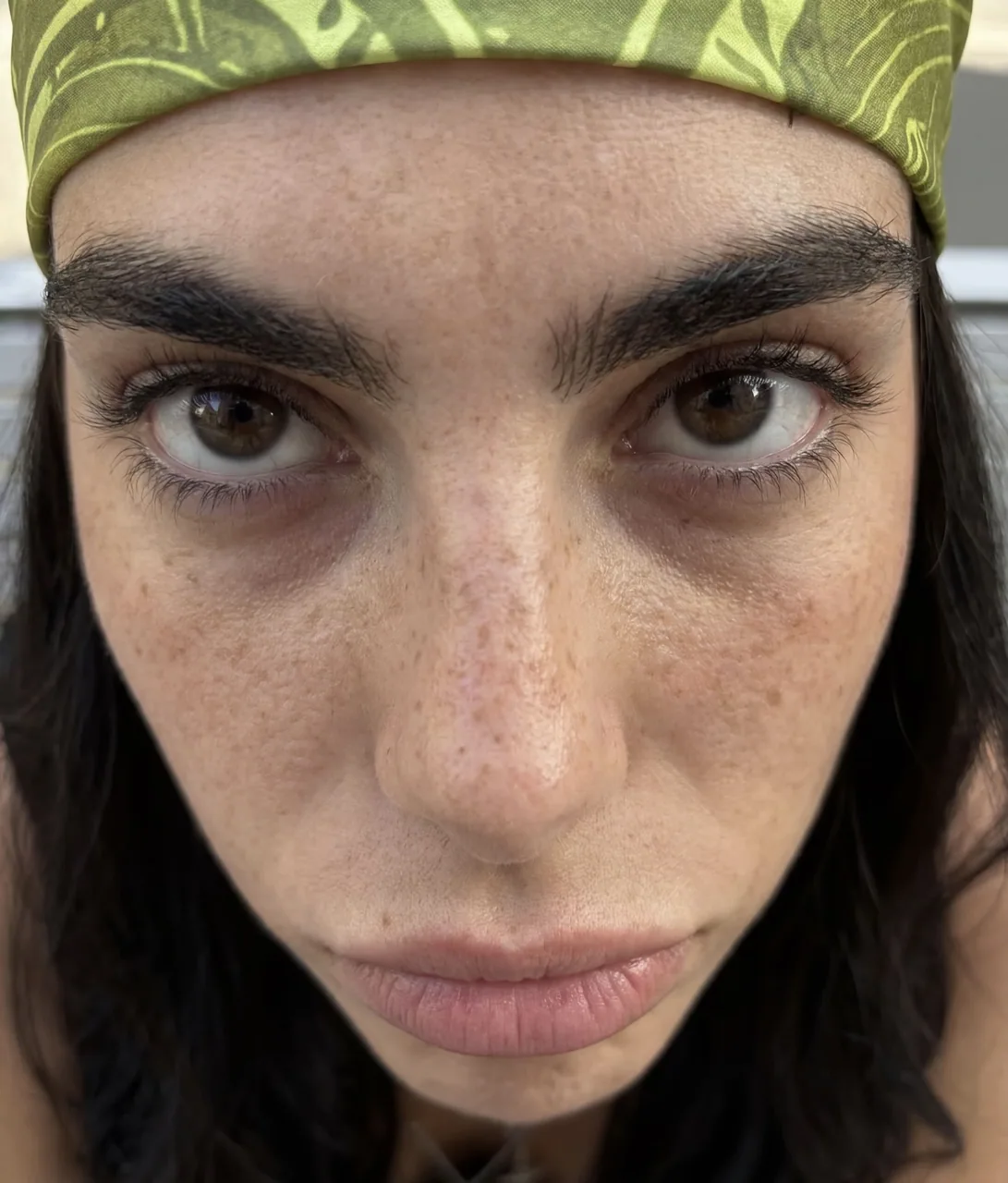
プロンプト
how to generate ai photos that look 100% real with gpt-image 2.5

2.5 is a step up from 2 but it carries the same tells

straight out of the box with no reference you still get that ai look

so stop describing the aesthetic and start stealing it

find a photo that already has the look you want

drop it into gpt-6 astra and ask this

"analyze this photo and give me a very detailed json prompt describing its visual style. break down the color grading, the lighting and the exact colors so i can apply that look to my own images"

astra reverse engineers the reference into a prompt

you were never going to describe that grade yourself

take the json into gpt-image 2.5

attach your product and prompt

"using this json as reference, generate a person holding my product"

then generate the same thing without the json and put them side by side

the lighting and the grade are the whole difference

save the character you like

attach that photo on every future generation and ask it to preserve the same facial features

now you have a consistent person across your entire product library

want a different mood
go back to astra, iterate the json, run it again

the tells are almost always the same two things

flat default color and that plastic grain

so grade on purpose and check those first

the json controls the light
the character controls consistency
you control the product

that is a repeatable ugc pipeline instead of rolling the dice every time
日本語訳
gpt-image 2.5 で100%リアルに見えるAI写真を生成する方法

2.5 は 2 より進化しているが、同じクセは受け継いでいる

何も参照せずにそのまま使うと、やはりあのAIっぽさが出る

だから美学を言葉で説明するのはやめて、盗み始めよう

欲しいルックがすでにある写真を見つける

それを gpt-6 astra に投げて、こう頼む

「この写真を分析して、そのビジュアルスタイルを説明する非常に詳細なJSONプロンプトをください。カラーグレーディング、照明、正確な色を分解して、そのルックを自分の画像に適用できるようにしてください」

astra が参考画像をプロンプトにリバースエンジニアリングしてくれる

あのグレーディングを自分で言葉にできた試しはないだろう

そのJSONを gpt-image 2.5 に持っていく

製品とプロンプトを添付する

「このJSONを参照として、私の製品を持っている人物を生成してください」

次に、JSONなしで同じものを生成し、並べて比べる

照明とグレーディングがすべての違い

気に入ったキャラクターを保存する

その写真を今後のすべての生成に添付して、同じ顔立ちを保つよう頼む

これで製品ライブラリ全体を通して一貫した人物が得られる

違うムードが欲しいなら
astra に戻り、JSONを反復し、もう一度実行する

AIっぽさの正体はほぼいつも次の2つ

フラットなデフォルトの色と、あのプラスチック的な粒子

だから意図的にグレーディングし、まずそこを確認する

JSONが光を制御する
キャラクターが一貫性を制御する
あなたが製品を制御する

これが毎回サイコロを振る代わりになる、再現可能なUGCパイプラインだ
出典
- 原作者
- sixugc
- 公開日
- 2026-09-10
- 原典
- 元の投稿を見る ↗
- 収録元
- xianyu110/awesome-gpt-image2.5 · 2098047399264469048 · MIT