레퍼런스 미학을 훔쳐 실사감 사진 만들기
참조 이미지에서 미학 레시피를 추출해 실사감 사진으로 압축. UGC/홍보용 인물 파이프라인으로 참고 가능.
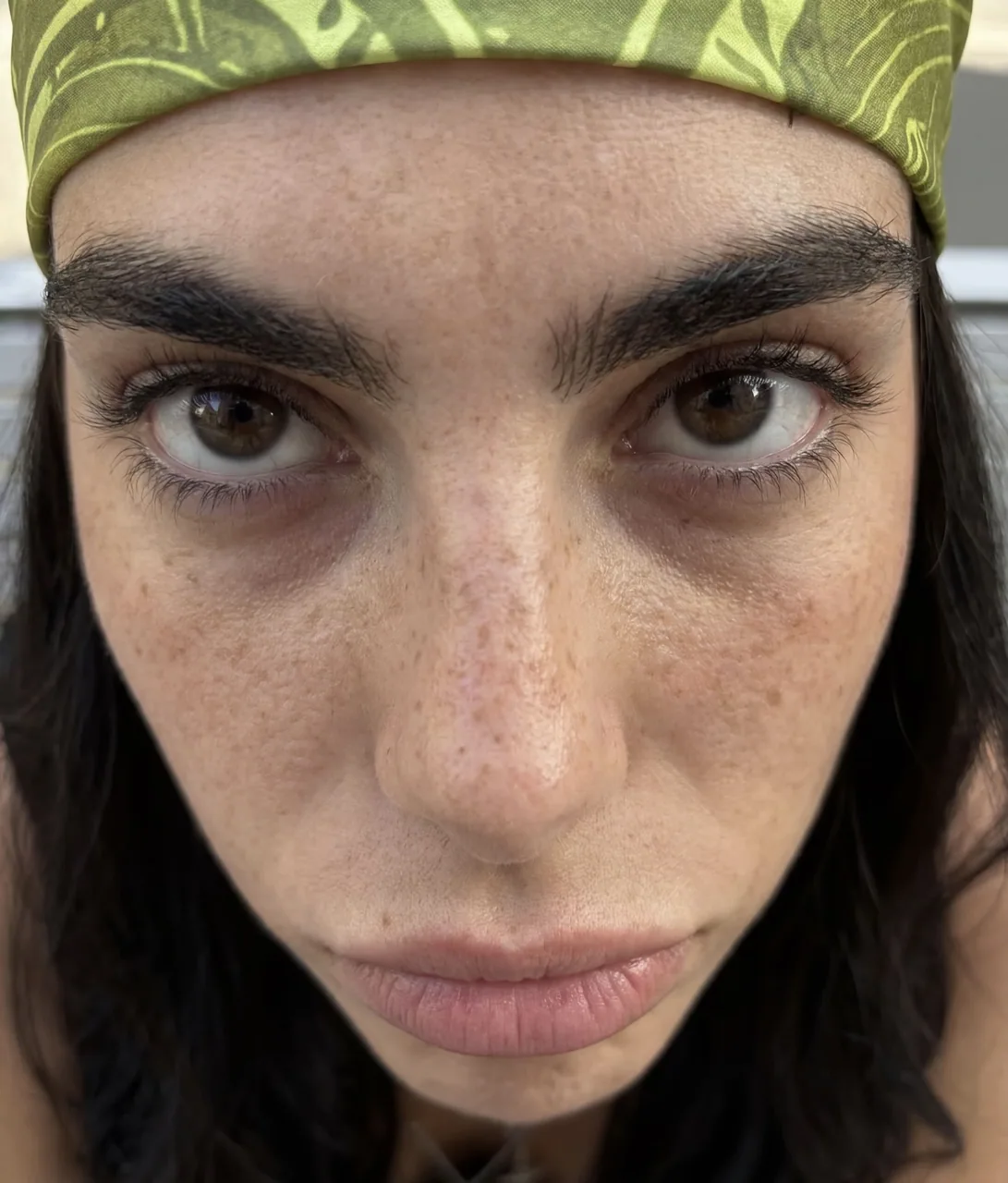
프롬프트
how to generate ai photos that look 100% real with gpt-image 2.5

2.5 is a step up from 2 but it carries the same tells

straight out of the box with no reference you still get that ai look

so stop describing the aesthetic and start stealing it

find a photo that already has the look you want

drop it into gpt-6 astra and ask this

"analyze this photo and give me a very detailed json prompt describing its visual style. break down the color grading, the lighting and the exact colors so i can apply that look to my own images"

astra reverse engineers the reference into a prompt

you were never going to describe that grade yourself

take the json into gpt-image 2.5

attach your product and prompt

"using this json as reference, generate a person holding my product"

then generate the same thing without the json and put them side by side

the lighting and the grade are the whole difference

save the character you like

attach that photo on every future generation and ask it to preserve the same facial features

now you have a consistent person across your entire product library

want a different mood
go back to astra, iterate the json, run it again

the tells are almost always the same two things

flat default color and that plastic grain

so grade on purpose and check those first

the json controls the light
the character controls consistency
you control the product

that is a repeatable ugc pipeline instead of rolling the dice every time
한국어 번역
gpt-image 2.5로 100% 진짜처럼 보이는 AI 사진을 생성하는 방법

2.5는 2보다 한 단계 올라갔지만 똑같은 티 나는 단서를 그대로 갖고 있습니다

레퍼런스 없이 그냥 뽑으면 여전히 그 AI 느낌이 납니다

그러니 미학을 설명하려 하지 말고 훔치세요

원하는 룩이 이미 담긴 사진을 찾으세요

그걸 gpt-6 astra에 넣고 이렇게 물어보세요

"이 사진을 분석해서 시각적 스타일을 설명하는 아주 상세한 json 프롬프트를 만들어 줘. 컬러 그레이딩, 조명, 정확한 색상을 분해해서 내 이미지에 그 룩을 적용할 수 있게 해 줘"

astra가 레퍼런스를 역설계해 prompt로 만들어 줍니다

그 그레이딩은 애초에 당신이 설명할 수 있는 게 아니었습니다

그 json을 gpt-image 2.5에 가져가세요

제품과 prompt를 첨부하세요

"이 json을 레퍼런스로 사용해서 내 제품을 들고 있는 사람을 생성해 줘"

그런 다음 json 없이 같은 것을 생성해 나란히 놓으세요

조명과 그레이딩이 전부의 차이입니다

마음에 드는 캐릭터를 저장하세요

이후 모든 생성에 그 사진을 첨부하고 같은 얼굴 특징을 유지해 달라고 요청하세요

이제 제품 라이브러리 전체에서 일관된 인물을 갖게 됩니다

다른 무드를 원한다면
astra로 돌아가 json을 반복 수정하고 다시 실행하세요

티 나는 단서는 거의 항상 같은 두 가지입니다

평평한 기본 색상과 그 플라스틱 같은 그레인

그러니 의도적으로 그레이딩하고 이것들을 먼저 확인하세요

json은 빛을 컨트롤합니다
캐릭터는 일관성을 컨트롤합니다
당신은 제품을 컨트롤합니다

그것이 매번 주사위를 굴리는 대신 반복 가능한 ugc 파이프라인입니다
출처
- 원작자
- sixugc
- 게시일
- 2026-09-10
- 원문 출처
- 원문 보기 ↗
- 수록 출처
- xianyu110/awesome-gpt-image2.5 · 2098047399264469048 · MIT