<inputs>
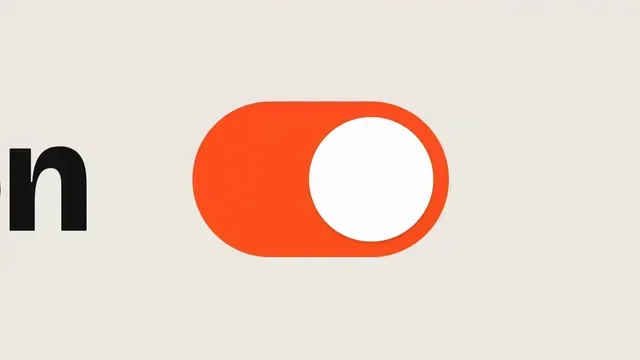
Ask me for: a short label for the opening toggle, one hero word, a percentage for the graph, the text for the final card, one accent color, and a track with a clear beat.
</inputs>

<direction>
A 2D motion design film in 16:9. Use a warm off-white canvas, near-black backgrounds, bold typography and one vivid orange accent. The orange dot connects every scene: it starts in the UI, becomes the dot over a letter, traces a spring graph, grows into a shape and returns on the end card. A cursor makes the opening click feel real. Keep the motion sharp and controlled, with small spring overshoots and no dead time.
Banned: stock footage, gradients, glows, particle bursts, random transitions and motion that isn't connected to an element already on screen.
</direction>

<structure>
Around 15 seconds, with a visual change on every major beat.
Open: a cursor clicks the orange toggle beside "Reduce Motion". The letters bend and move into place until only "Motion" remains, with the orange dot above the "i".
Spring: the dot jumps away from the word and lands on a graph. Its path draws a spring response, overshoots the target and settles beside a "+22%" callout.
Shape: the dot shoots across a line, grows into an orange circle and fills the frame. A black rounded square rotates inside it, then stretches into a pill. The scene contracts to a single orange dot on black.
Type: words like "SPRINGS", "EASING", "KINETIC TYPE", "3D" and "SOUND" orbit the dot. The circle of type opens out into a field of tiny dots.
Reveal: the halftone field expands and flips to black, revealing the final card: "Opus 5.5", "Motion designer." and "0 keyframes".
Return: the orange dot moves back through the halftone, graph and toggle. Match the final frame to the first so the video loops cleanly.
</structure>

<build>
1. One HTML file, 1920x1080 at 60fps. Compute every visual from time inside seek(t): no CSS transitions, timers or state carried between frames.
2. Use closed-form springs for the toggle, bouncing dot and graph. Draw the graph from the same spring function that moves the dot.
3. Animate letters individually for the "Reduce Motion" to "Motion" transformation. Keep the orange dot attached to the "i" until it begins its jump.
4. Make the orange circle, rotating square and pill different states of the same shape. Preserve its position and motion through each transformation.
5. Place the orbiting words along a circular path, then move their letters outward to hand the frame over to the halftone grid.
6. Draw the halftone as a grid of dots whose sizes respond to the orange dot. Let it grow past the frame edges before revealing the end card.
7. Sync the click, dot landing, graph peak, shape changes and final title to measured beats.
한국어 번역
<inputs>
저에게 물어봐 주세요: 오프닝 토글에 쓸 짧은 라벨, 히어로 단어 하나, 그래프에 쓸 퍼센트, 마지막 카드에 들어갈 텍스트, 액센트 색 하나, 그리고 박자가 분명한 트랙.
</inputs>

<direction>
16:9의 2D 모션 디자인 필름. 따뜻한 오프화이트 캔버스, 거의 검은 배경, 굵은 타이포그래피, 그리고 하나의 선명한 오렌지 액센트를 사용하세요. 오렌지 점이 모든 장면을 연결합니다: UI에서 시작해 글자 위의 점이 되고, 스프링 그래프를 그리고, 형태로 자라난 뒤 엔드 카드에서 돌아옵니다. 커서가 오프닝 클릭을 실제처럼 느껴지게 합니다. 작은 스프링 오버슈트와 빈 시간 없이, 모션은 날카롭고 통제된 상태로 유지하세요.
금지: 스톡 풋티지, 그라디언트, 글로우, 파티클 버스트, 무작위 전환, 그리고 이미 화면에 있는 요소와 연결되지 않은 모션.
</direction>

<structure>
약 15초, 주요 박자마다 시각적 변화가 있습니다.
Open: 커서가 "Reduce Motion" 옆의 오렌지 토글을 클릭합니다. 글자들이 휘어지며 제자리로 움직여 "Motion"만 남고, "i" 위에 오렌지 점이 놓입니다.
Spring: 점이 단어에서 튀어 나가 그래프 위에 착지합니다. 그 경로가 스프링 응답을 그리며 목표를 지나쳐 오버슈트한 뒤 "+22%" 콜아웃 옆에 자리 잡습니다.
Shape: 점이 선을 가로질러 날아가 오렌지 원으로 자라나 프레임을 채웁니다. 그 안에서 검은 둥근 사각형이 회전하다가 알약 모양으로 늘어납니다. 장면은 검은 바탕 위의 오렌지 점 하나로 수축합니다.
Type: "SPRINGS", "EASING", "KINETIC TYPE", "3D", "SOUND" 같은 단어들이 점 주위를 공전합니다. 글자들의 원이 열리며 작은 점들의 필드가 됩니다.
Reveal: 하프톤 필드가 확장하고 검게 뒤집히며 마지막 카드가 드러납니다: "Opus 5.5", "Motion designer.", "0 keyframes".
Return: 오렌지 점이 하프톤, 그래프, 토글을 거쳐 되돌아갑니다. 영상이 깔끔하게 루프되도록 마지막 프레임을 첫 프레임과 맞추세요.
</structure>

<build>
1. 1920x1080, 60fps의 HTML 파일 하나. 모든 시각 요소를 seek(t) 안에서 시간으로부터 계산하세요: CSS 트랜지션, 타이머, 프레임 사이에 이어지는 상태는 금지.
2. 토글, 튀는 점, 그래프에는 닫힌 형태(closed-form)의 스프링을 사용하세요. 점을 움직이는 것과 동일한 스프링 함수로 그래프를 그리세요.
3. "Reduce Motion"에서 "Motion"으로의 변형은 글자를 개별적으로 애니메이션하세요. 점프가 시작될 때까지 오렌지 점을 "i"에 붙여 두세요.
4. 오렌지 원, 회전하는 사각형, 알약을 같은 형태의 서로 다른 상태로 만드세요. 각 변형을 거치는 동안 그 위치와 모션을 유지하세요.
5. 공전하는 단어들을 원형 경로에 배치한 뒤, 그 글자들을 바깥으로 움직여 프레임을 하프톤 그리드에 넘기세요.
6. 하프톤을 오렌지 점에 반응해 크기가 변하는 점들의 그리드로 그리세요. 엔드 카드가 드러나기 전에 프레임 가장자리 밖까지 자라나게 하세요.
7. 클릭, 점 착지, 그래프 피크, 형태 변화, 마지막 타이틀을 측정된 박자에 동기화하세요.