<inputs>
Ask me for: the product name and a one-line promise, 3 to 5 UI moments to show, one accent color, 10 to 20 real vertical clips I own, and a royalty-free song with a clear drop (e.g. Mixkit, free for commercial use).
</inputs>

<direction>
High-end minimal. One idea per shot, lots of empty space, one accent color, one clean sans (Geist or Inter) with tight tracking. Masked type reveals, match cuts, one smooth camera language. Real footage only, never placeholder cards. No full stops in on-screen text.
Banned: shockwave rings, particle bursts, RGB split, camera shake, lens flares, neon glows, grid floors, flashing backgrounds, bouncy easing.
</direction>

<structure>
10 bars at 120 BPM, 2 seconds each.
Bar 1: the hook lands word by word on the beats.
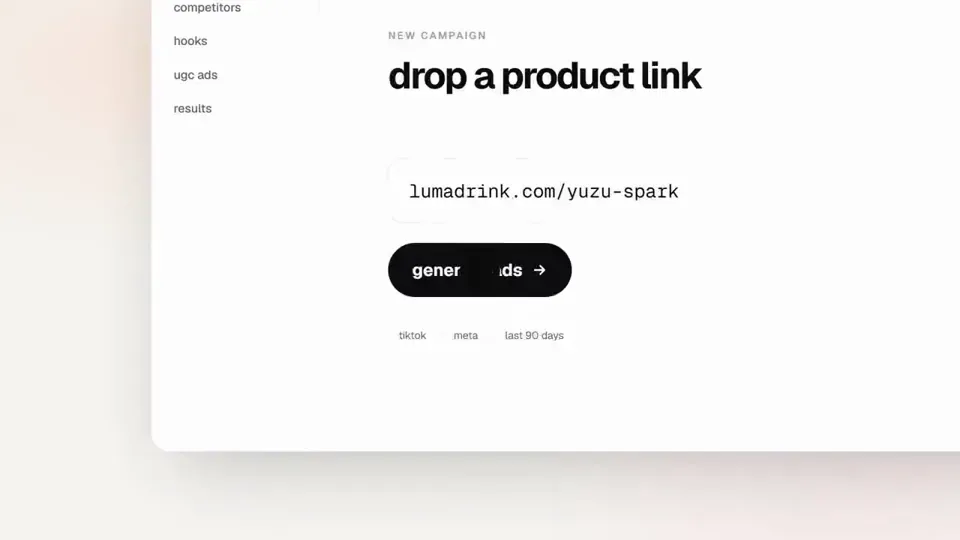
Bar 2: one hook word morphs into the product UI. A cursor types and clicks.
The drop: a circle opens out of the button into a dark scene.
Then one move per bar: a wall of real clips with a scan line and 3 winners, the key output as big type, a 3D carousel of real videos with floor reflections and a motion-blurred whip onto one hero clip, the hero in a phone next to a panel that flips into results, big stats on push cuts, a 3-word ticker, a logo reveal, a fade to black.
</structure>

<build>
1. One HTML file at 1920x1080. Every style is computed from time inside
http://
window.seek(t): no CSS animations, no timers, no state between frames.
2. Real video: extract clips to 30fps JPEG sequences with ffmpeg and swap img sources per frame. seek awaits the image decodes.
3. Analyze the song with numpy: tempo, beat grid, energy per bar, the drop. Calibrate the grid to the real kick hits. Every cut sits on a downbeat, every UI hit on a beat.
4. Render with Playwright: 3 subframes per frame at t minus, at, and plus 1/240s, then blend with ffmpeg tmix for real motion blur at 60fps.
5. Place each sound effect so its measured peak, not its file start, lands on the event. Keep the effects quiet under the music. Loudnorm to -14 LUFS.
6. Probe 20 or more frames before the full render. Fix anything cluttered, overlapping or hard to read.
</build>

<gotchas>
Never set opacity or filter on a preserve-3d element, because it flattens and both faces show. Fade its wrapper instead. Measure element positions at runtime for match cuts. Only use music and sound effects whose license allows commercial use.
</gotchas>

<start>
Ask me for the inputs, then show me a storyboard with every timing on the beat grid before you write any code.
</start>
한국어 번역
<inputs>
저에게 다음을 물어보세요: 제품 이름과 한 줄 약속, 보여줄 3~5개의 UI 순간, 포인트 색상 하나, 제가 보유한 10~20개의 실제 세로 클립, 그리고 명확한 드롭이 있는 로열티 프리 곡(예: Mixkit, 상업적 사용 무료).
</inputs>

<direction>
하이엔드 미니멀. 샷마다 아이디어 하나, 넉넉한 여백, 포인트 색상 하나, 자간을 좁힌 깔끔한 산세리프 하나(Geist 또는 Inter). 마스크된 타이포그래피 리빌, 매치 컷, 하나의 매끄러운 카메라 언어. 실제 푸티지만, 플레이스홀더 카드는 절대 금지. 화면 텍스트에는 마침표를 넣지 않습니다.
금지: 충격파 링, 파티클 버스트, RGB 분할, 카메라 흔들림, 렌즈 플레어, 네온 글로우, 그리드 바닥, 깜빡이는 배경, 탄성 있는 이징.
</direction>

<structure>
120 BPM의 10마디, 각 2초.
1마디: 훅이 비트마다 한 단어씩 착지합니다.
2마디: 훅 단어 하나가 제품 UI로 변형됩니다. 커서가 타이핑하고 클릭합니다.
드롭: 버튼에서 원이 열리며 어두운 장면으로 이어집니다.
그다음에는 마디마다 한 동작: 스캔 라인과 3개의 당첨작이 있는 실제 클립의 벽, 큰 타이포로 표현된 핵심 출력, 바닥 반사가 있는 실제 영상의 3D 캐러셀과 모션 블러가 걸린 휩 팬으로 히어로 클립 한 편에 착지, 폰 속의 히어로 옆에서 패널이 결과로 뒤집히는 장면, 푸시 컷 위의 큰 통계, 3단어 티커, 로고 리빌, 블랙으로의 페이드.
</structure>

<build>
1. 1920x1080의 HTML 파일 하나. 모든 스타일은
http://
window.seek(t) 내부의 시간으로부터 계산됩니다: CSS 애니메이션 없음, 타이머 없음, 프레임 간 상태 없음.
2. 실제 영상: ffmpeg로 클립을 30fps JPEG 시퀀스로 추출하고 프레임마다 img 소스를 교체합니다. seek는 이미지 디코딩을 기다립니다.
3. numpy로 곡을 분석합니다: 템포, 비트 그리드, 마디별 에너지, 드롭. 그리드를 실제 킥 히트에 맞춰 보정합니다. 모든 컷은 다운비트에, 모든 UI 히트는 비트에 놓입니다.
4. Playwright로 렌더링합니다: 각 프레임마다 t-1/240s, t, t+1/240s 시점의 서브프레임 3개를 만든 뒤 ffmpeg tmix로 블렌딩해 60fps에서 실제 모션 블러를 구현합니다.
5. 각 사운드 이펙트는 파일 시작점이 아니라 측정된 피크가 이벤트에 맞도록 배치합니다. 음악 아래에서 이펙트는 작게 유지합니다. Loudnorm으로 -14 LUFS.
6. 전체 렌더 전에 20프레임 이상을 미리 뽑아 확인합니다. 복잡하거나 겹치거나 읽기 어려운 부분을 수정합니다.
</build>

<gotchas>
preserve-3d 요소에 opacity나 filter를 절대 설정하지 마세요. 평면화되어 양면이 모두 보입니다. 대신 그 래퍼를 페이드하세요. 매치 컷을 위해 런타임에 요소 위치를 측정하세요. 라이선스가 상업적 사용을 허용하는 음악과 사운드 이펙트만 사용하세요.
</gotchas>

<start>
저에게 입력값을 물어본 뒤, 코드를 작성하기 전에 모든 타이밍이 비트 그리드에 놓인 스토리보드를 보여주세요.
</start>