<inputs>
Ask me for:
• my product + URL
• 8–12 UI states that tell its story
• the real data shown in each state
• brand colors + fonts + accent color
• required formats (1:1, 16:9, 9:16)
</inputs>

<rules>
One HTML file. One canvas
One draw(t) function

No CSS transitions
No timers
No state carried between frames

One shape, never cut

Every state is the same element changing size, radius and color while the content swaps

A cursor drives the sequence with real clicks, typing and one drag

Real UI. Real data. No placeholders.

</rules>
<structure>
120 BPM grid

Something happens on every bea

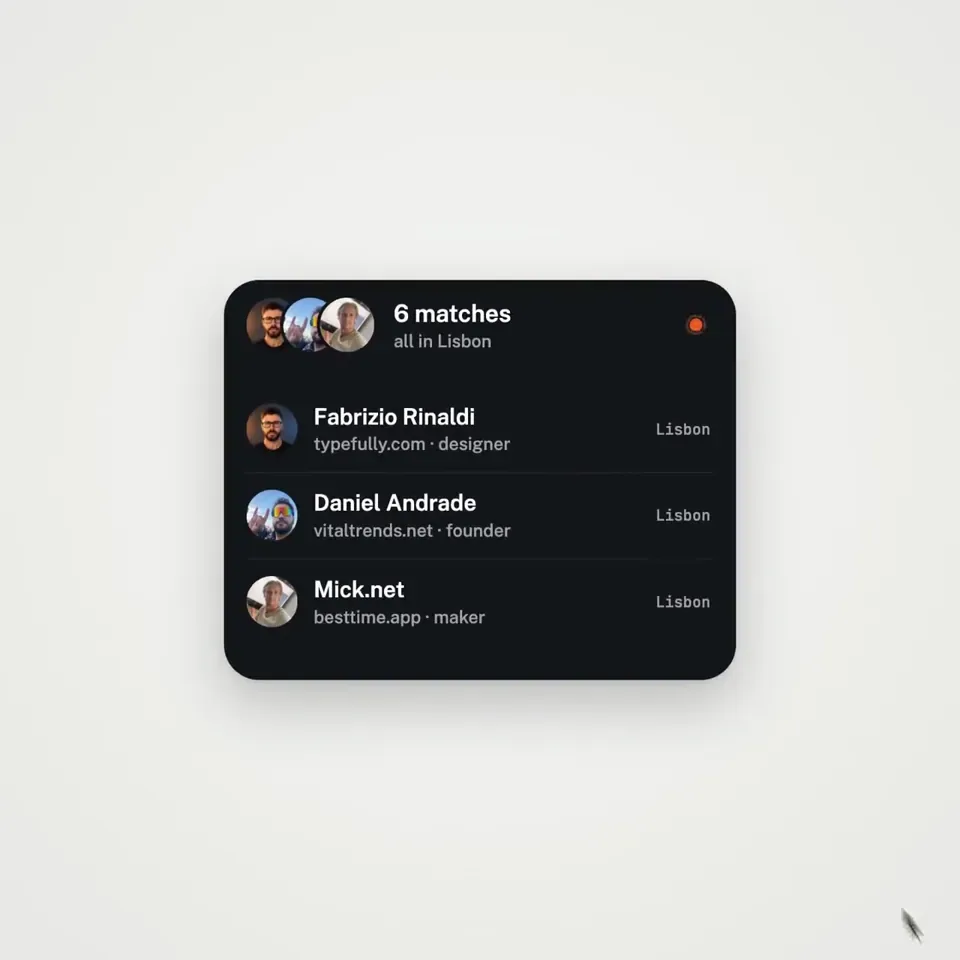
logo → button → handle field → “is this you?” → loader → pin → globe filling with users → matches → tabs → RSVP → search → logo

</structure>

<motion>
Closed-form springs everywhere with only a tiny overshoot.

If a value changes target multiple times, sum one spring per change

Content enters after its container starts morphing and leaves before the next morph so text never overlaps

Use a short blur on transitions

Never fade black directly into the accent color. Move an accent element between states instead

Make tab indicators stretch by putting each edge on a different spring

Zoom the camera so every state fills the frame

Make the last frame equal the first so the whole thing loops
</motion>

<export>
First render one frame per beat as a contact sheet

Fix anything cramped or broken

Then render every frame in headless Chrome at 60fps, averaging 6 subframes for motion blur

Pipe into ffmpeg:
H.264 + yuv420p

Export all aspect ratios in parallel
</export>

motion design is becoming a prompt
한국어 번역
<inputs>
저에게 다음을 물어보세요:
• 내 제품 + URL
• 제품의 이야기를 전달하는 8–12개의 UI 상태
• 각 상태에 표시되는 실제 데이터
• 브랜드 색상 + 폰트 + 포인트 색상
• 필요한 포맷 (1:1, 16:9, 9:16)
</inputs>

<rules>
HTML 파일 하나. 캔버스 하나
draw(t) 함수 하나

CSS 트랜지션 없음
타이머 없음
프레임 간에 이어지는 상태 없음

도형 하나, 절대 잘리지 않음

모든 상태는 같은 요소가 크기, 반경, 색을 바꾸면서 콘텐츠만 교체되는 것

커서가 실제 클릭, 타이핑, 한 번의 드래그로 시퀀스를 이끕니다

실제 UI. 실제 데이터. 플레이스홀더 없음.

</rules>
<structure>
120 BPM 그리드

모든 비트마다 무언가가 일어난다

logo → button → handle field → “is this you?” → loader → pin → globe filling with users → matches → tabs → RSVP → search → logo

</structure>

<motion>
어디서나 폐쇄형 스프링, 아주 작은 오버슈트만.

값이 목표를 여러 번 바꾸면 변경마다 스프링 하나씩 합산

콘텐츠는 컨테이너가 모핑을 시작한 뒤 들어오고 다음 모핑 전에 나가서 텍스트가 절대 겹치지 않게

전환에는 짧은 블러 사용

검정을 포인트 색으로 직접 페이드하지 마세요. 대신 포인트 요소를 상태 사이에서 이동시키세요

각 모서리를 서로 다른 스프링에 두어 탭 인디케이터가 늘어나게

카메라를 줌해서 모든 상태가 프레임을 채우게

마지막 프레임을 첫 프레임과 같게 해서 전체가 루프되게
</motion>

<export>
먼저 비트마다 한 프레임을 컨택트 시트로 렌더링

답답하거나 깨진 부분 수정

그다음 headless Chrome에서 60fps로 모든 프레임을 렌더링하고, 모션 블러를 위해 6개 서브프레임을 평균

ffmpeg로 파이프:
H.264 + yuv420p

모든 화면 비율을 병렬로 내보내기
</export>

모션 디자인은 프롬프트가 되고 있다