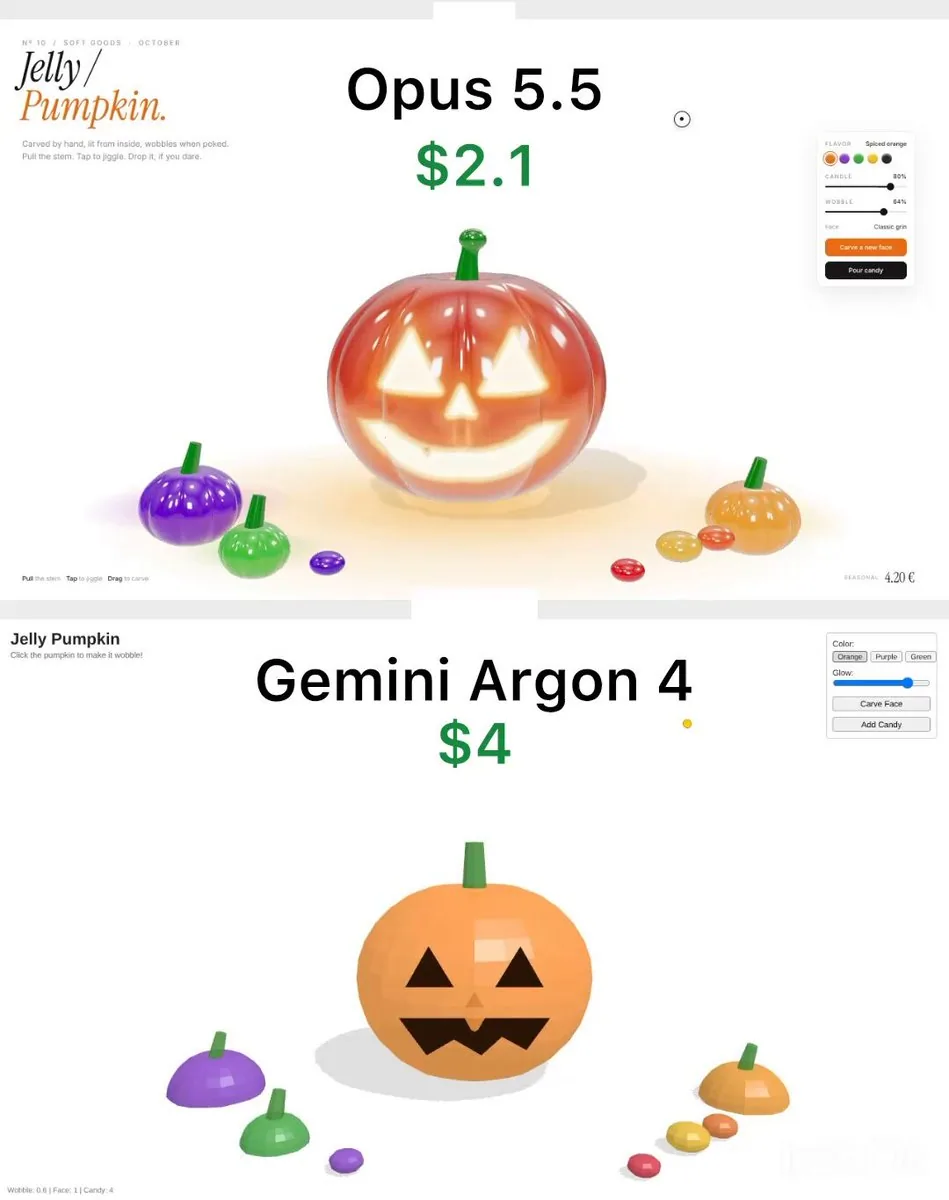
Build a single self-contained HTML file: a simple 3D "Jelly Pumpkin" demo using three.js from a CDN. Keep the code short and basic.

SCENE
- One orange pumpkin in the centre made from a low-poly sphere (about 24x16 segments) with 8 shallow ribs, flat shading.
- MeshPhongMaterial, slightly transparent (opacity 0.9), bright orange with a little emissive colour. No transmission, no environment map, no post-processing.
- Jack-o'-lantern face made of flat black 2D shapes (two triangle eyes, triangle nose, zigzag mouth) placed just in front of the pumpkin surface. No glow from inside.
- Simple green cylinder stem on top.
- Three small low-poly pumpkins (purple, green, orange) and four small flattened spheres as candy around it.
- White background, ambient light plus one directional light, basic hard shadows on the floor.

INTERACTION
- Click the pumpkin: it squashes slightly (scale Y down, X/Z up) and springs back quickly with no extra wobble.
- Drag the stem: draw a straight thin green cylinder from the stem to the cursor. Dragging upward lifts the whole pumpkin rigidly; release and it falls, with one small bounce.
- "Carve Face" button: instantly swap to a second face (two black circle eyes, round mouth).
- "Glow" slider: changes the emissive intensity of the pumpkin a little.
- "Add Candy" button: drops 16 small spheres from above; they fall, bounce once on the floor and stop. No collision with the pumpkin.

UI
- Plain HTML: title "Jelly Pumpkin" in bold Arial top left, subtitle "Click the pumpkin to make it wobble!".
- Top right white box with border: colour buttons (Orange, Purple, Green), Glow range input, "Carve Face" and "Add Candy" buttons with default browser styling.
- Bottom left small grey text with stats: "Wobble: 0.6 | Face: 1 | Candy: 0".
한국어 번역
단일 자체 포함 HTML 파일을 만드세요: CDN에서 불러온 three.js로 만드는 간단한 3D "Jelly Pumpkin" 데모입니다. 코드는 짧고 기본적으로 유지하세요.

장면
- 중앙에 주황색 호박 하나: 저폴리 구(약 24x16 세그먼트)에 얕은 골 8개를 넣고 플랫 셰이딩.
- MeshPhongMaterial, 약간 투명(opacity 0.9), 약간의 이미시브 색을 가진 밝은 주황색. 투과 없음, 환경 맵 없음, 포스트 프로세싱 없음.
- 호박 표면 바로 앞에 배치한 평평한 검정 2D 도형(삼각형 눈 두 개, 삼각형 코, 지그재그 입)으로 만든 잭오랜턴 얼굴. 내부에서 나오는 빛은 없음.
- 위에 간단한 초록색 실린더 꼭지.
- 주변에 작은 저폴리 호박 세 개(보라, 초록, 주황)와 사탕으로 쓸 납작한 작은 구 네 개.
- 흰색 배경, 앰비언트 라이트와 방향광 하나, 바닥에 기본 하드 섀도우.

인터랙션
- 호박을 클릭: 살짝 찌그러졌다가(scale Y 감소, X/Z 증가) 추가 흔들림 없이 빠르게 제자리로 돌아옵니다.
- 꼭지를 드래그: 꼭지에서 커서까지 가는 직선의 얇은 초록색 실린더를 그립니다. 위로 드래그하면 호박 전체가 강체처럼 들리고, 놓으면 작은 바운스 한 번과 함께 떨어집니다.
- "Carve Face" 버튼: 즉시 두 번째 얼굴(검은 원형 눈 두 개, 둥근 입)로 바꿉니다.
- "Glow" 슬라이더: 호박의 이미시브 강도를 조금 바꿉니다.
- "Add Candy" 버튼: 위에서 작은 구 16개를 떨어뜨립니다. 구는 떨어져 바닥에서 한 번 튕기고 멈춥니다. 호박과의 충돌은 없습니다.

UI
- 순수 HTML: 왼쪽 상단에 굵은 Arial로 제목 "Jelly Pumpkin", 부제 "Click the pumpkin to make it wobble!".
- 오른쪽 상단의 테두리가 있는 흰색 상자: 색상 버튼(Orange, Purple, Green), Glow 범위 입력, 기본 브라우저 스타일의 "Carve Face"와 "Add Candy" 버튼.
- 왼쪽 하단의 작은 회색 텍스트로 통계: "Wobble: 0.6 | Face: 1 | Candy: 0".