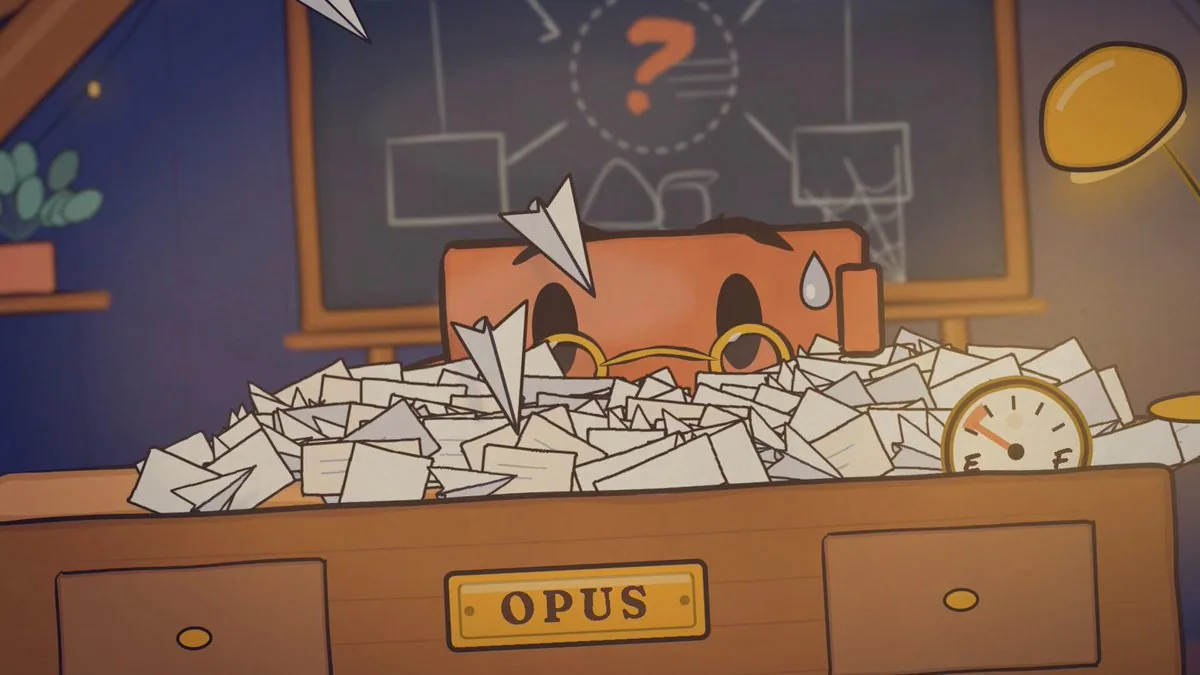
You're directing a 20-second animated short about the Claude Haiku 5.5 release. You're the director, the art department, the animator, the sound designer and the QA team, and you have real tools to call.

I'm giving you the idea, the tools and the quality bar. Everything else, from the beats to the look to the jokes, is yours to design. I trust your taste more than a beat sheet I could write. Your capabilities are far beyond what you assume, so work like it: plan carefully, push the craft, and use the tools and the time this deserves. Spend generously where it improves the film and economically everywhere else.

Final output: `out/level3.mp4`, 1920×1080, 30fps, exactly 20.0 seconds, with voices, music and sound design. At the end, you'll also save your process as a reusable skill.

---

## 1. The idea

**Opus is overloaded with work it shouldn't be doing.** It's buried in small, repetitive tasks: summaries, classifications, lookups, compactions. Then it has a realization: it can hand all of that to Haiku. It calls Haiku, Haiku arrives fast and clears the pile, and Opus is finally free to do the hard, important work it's built for.

That's the premise. How you tell it is up to you: the staging, gags, rhythm, camera, character beats, what the eureka moment looks like, how Haiku arrives, and how the delegation plays out. Sonnet can appear if it earns its place.

**Fixed points:**
- 20.0 seconds, 16:9.
- Opus and Haiku are characters in the same family as the Claude character.
- The film must read with the sound off.
- The ending respects reality: Haiku takes the volume, and Opus keeps the hard thinking. Anthropic says Opus 5.5 and Sonnet 5.5 remain the better choice for complex agentic coding, so Haiku is never shown replacing Opus.

---

## 2. Style reference

The reference is Jake Moran's "Animated agent session story": https://www.prompt-motion.com/jake11moran-a269c4. It was made with this skill: https://github.com/heygen-com/hyperframes-community-skills/tree/master/skills/session-story. Read the skill, including its references on motion and the room.

Take from it:
- The hand-drawn watercolour-on-paper look.
- A cozy room as a world.
- Cartoon blocks with faces as characters.
- Physical paper props that carry the story (paper planes as tasks).
- A score that's cued to every action.

Don't copy it. Use it as a starting point and push it further: richer staging, better acting from the characters, more cinematic camera, and a stronger hook. It should look like it belongs to the same family, made by someone who studied it closely.

---

## 3. Facts (lock these before any creative work)

Fetch https://www.anthropic.com/claude-haiku-5-5 and write `facts.json`: every claim you might use, each with the exact supporting sentence from the page. Only claims in `facts.json` may appear on screen or in dialogue.

This is a story first, so use one or two facts at most, woven into the world rather than presented as slides. For example, a price tag being re-stamped, or Haiku's speed shown rather than stated. The film must end on a card with **Claude Haiku 5.5**.

---

## 4. Audience and hook

The audience is AI and developer Twitter/X: people who use Claude every day and know the model names and the jokes about them. Before writing the treatment:
- **Research:** spend a little time on how people currently talk about Opus, Sonnet and Haiku, and what's being said about this launch. Find one or two references or running jokes this audience would recognize and enjoy. Use them only if they fit the story naturally. Never use real people or brand logos.
- **The hook:** the first second has to work as a still frame on a busy timeline. Someone scrolling should instantly see "a character drowning in work" and want to see what happens.
- **Text on screen:** this is motion design that tells a story, not a lyric video. Use text sparingly and only where it adds something: a beat the picture can't carry alone, the fact stamp, and the end card. Integrate it into the world (painted, stamped, written in marker) rather than overlaying it.

---

## 5. Tools

The keys are in `.env`. Pick the best tool for each job, and tell me which you chose and why.

| Tool | Key | Use it for |
|---|---|---|
| Web search and fetch | — | Source page, style reference, audience research |
| Higgsfield (connector) | — | Image generation; call `models_explore` first to pick the best model for flat illustrated characters. Also music or sound effects if its audio models are the best fit. |
| GPT Image (OpenAI) | `OPENAI_API_KEY` | A second image model. Test both on the same prompt and keep whichever matches the style better. |
| ElevenLabs | `ELEVENLABS_API_KEY` | Character voices, sound effects, and music (Eleven Music) |
| Remotion | — | The film itself |
| ffmpeg + Python | — | Audio analysis, frame extraction, checks |
| Subagents | — | Parallel research and independent review |

---

## 6. Order of work

### Step 1: Treatment
Write `treatment.md`:
- Your take on the story in one paragraph.
- The beat sheet with timings.
- What happens in each shot: camera, acting, the gag.
- Where the music hits.
- What each character says.
- Which fact appears and how.
- Why this version is the strongest way to tell it.

Write two or three distinct treatments, then pick one and explain why.

### Step 2: Style bible
Write `style/bible.md`:
- Palette: 6 colours maximum, with hex values and a reason for each.
- Ink line rules: weight, and the "boiling" redraw jitter.
- Watercolour and paper texture.
- Lighting.
- Type: local font files only.
- Character design rules for Opus and Haiku: size ratio, shapes, how each one moves, and their expression set.

### Step 3: Key art (images as the base, no video generation)
The generated images are your key frames and design references. You are the in-betweener. Generate:
1. **Style frames:** 3 options of the world. Pick one.
2. **Character sheets:** Opus and Haiku, each with front, three-quarter and side views and their full expression set. Use the chosen style frame as a reference so everything shares one world.
3. **Key poses:** one image per key pose in your treatment (roughly 6–10), each built from the character sheets and the style frame, matching the camera and composition of the shot.

Put everything on one contact sheet.

**Stop and wait for my approval** before building anything.

The images are references. The final film is drawn in code to match them, and generated images never appear on screen. Trace the shapes, poses, proportions and composition from the key art into SVG, and animate between them.

### Step 4: Audio first
The film's timing comes from the audio.
1. **Voices:** audition at least 2 ElevenLabs voices per character. Opus should feel warm, low and deliberate. Haiku should feel quick, bright and eager. Generate each line separately, with 2 takes, and keep the best delivery.
2. **Music:** generate a track that fits your treatment, about 22s long, with its structure matching your beats: for example, a drop when Haiku arrives. If the generated track won't land on your beats, trim and offset it with ffmpeg rather than changing the picture.
3. **Sound effects:** a sound for every physical action. Paper, whooshes, impacts, the lightbulb, stamps.
4. **Timing map:** detect the music's beat onsets and write `timing.json`. It holds every beat time, the drop frame, each voice line's start and end frames, and every key action snapped to the nearest beat. All animation timing reads from `timing.json`, with nothing hardcoded.
5. Play me the audio-only mix before building the picture.

### Step 5: Build in Remotion
- **Components:** one per character, prop and set piece. Story beats live as data in `story.json`.
- **Drawing:** watercolour fills via SVG turbulence and displacement filters, a multiply-blended paper texture, and boiling ink lines.
- **Motion craft:** anticipation before every big action, follow-through after, squash and stretch, springs for landings, arcs for every moving object, and no linear easing.
- **Acting:** the characters have to perform. Give them readable poses, holds where the audience needs to read a face, and timing that's funny.
- **Mouths:** mouth shapes driven by the voice track's loudness. They must be still when the character is silent.
- **Camera:** push-ins, a whip or a shake where it helps. Motivate every camera move.
- **Mix:** music, voices and sound effects on separate layers. Duck the music under dialogue.

---

## 7. Verification loops (do not skip any)

1. **Key-pose match:** at every key pose, render the frame and compare it side by side with its key art. Write what differs and fix it.
2. **Sound-off read:** render a silent cut. A fresh subagent that has seen nothing else reviews a contact sheet at 2 frames per second and retells the story. If it can't, the staging failed. Fix it and repeat.
3. **Sync check:** list every catch, landing, stamp and dialogue line with its actual frame vs its `timing.json` target. Everything must be within 1 frame.
4. **Fact check:** every word on screen and in dialogue, matched to `facts.json`. Cut anything unmatched.
5. **Technical:** duration exactly 20.0s, stereo audio, peaks below −1 dBFS, no unintended dead air.
6. **Director's review:**
- Watch the whole film at least twice as frames.
- Write a brutal critique as the most demanding motion designer you know: what feels assembled, what's slow, what doesn't land.
- Fix the top 3 issues, then review again.
- Only then hand it over, with a 10-frame contact sheet.

---

## 8. Package it as a skill

Save the full pipeline as `.claude/skills/launch-film/SKILL.md`, so that next time *"Make a launch film for [URL] about [idea]"* is enough.

The skill should include:
- The fact lock
- The treatment process
- The style bible as a reference file
- The key-art process with both image models
- Voice auditions
- Music and sound effects
- The timing map
- The reusable Remotion components
- Every verification loop

---

## Approval gates
1. `facts.json` and the chosen treatment
2. Style bible, character sheets and key poses → **wait for my approval**
3. Audio-only mix and `timing.json`
4. Final film, contact sheet and critique
5. Skill

Keep a task list throughout. At each gate, show me the work, not a description of it.