写真 UGC:先偷真照片颗粒/色调,再锁脸
无参考 = 假色假噪点假皮肤。广告素材/种草图抄这个就够锋利。
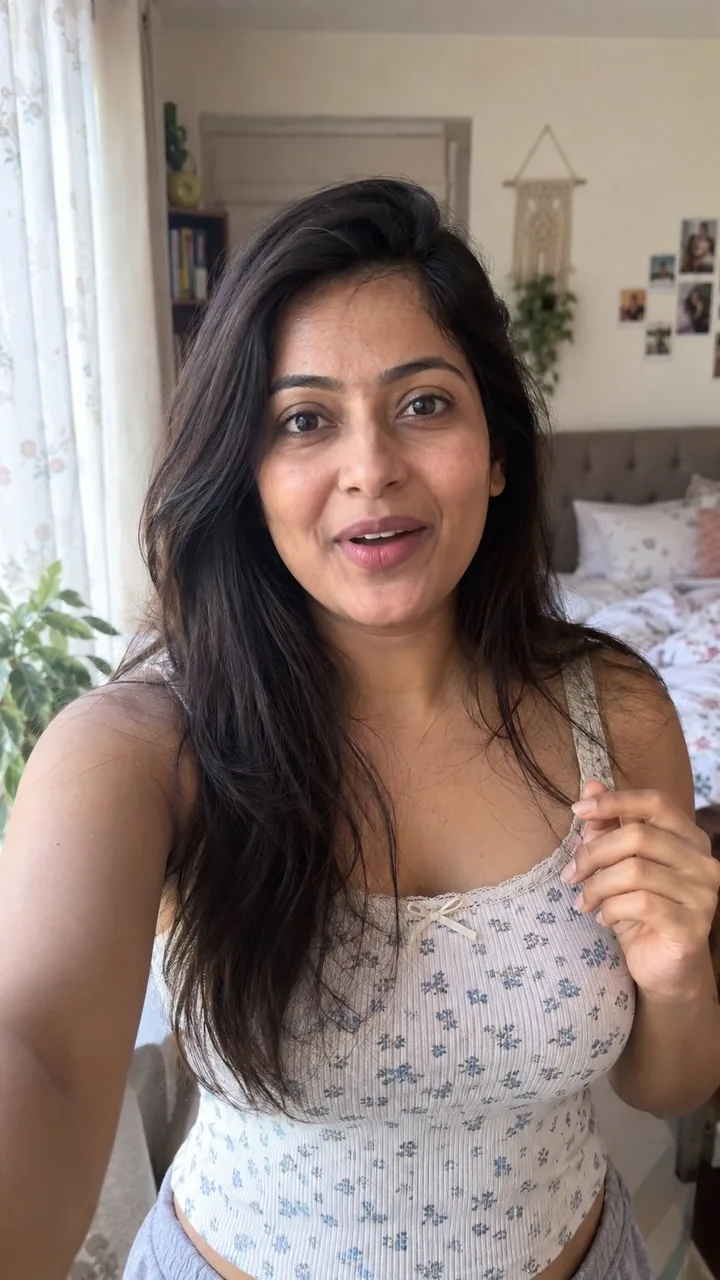
Prompt
how to generate AI photos that look 100% real with GPT-Image 2.5:

GPT-Image 2.5 is a bit nodern than image 2, but if you still get that obvious AI look. no references = fake color, fake grain, fake skin.

so steal this trick from a real photo, then lock a woman as your UGC face.

 find a real photo with the aesthetic you want (phone snap, not a campaign)

 drop it into GPT-6 Astra in ChatGPT and ask:

“analyze this photo and give me a very detailed json prompt describing its visual style. really break down the color grading, lighting, and the exact colors so i can apply that look to my own images”

Astra writes the look. you don’t sit there naming every shadow.

 take that json into GPT-Image 2.5 (ChatGPT is enough)

 attach a face you like, or generate one, and prompt:

“using this json as reference, generate a candid ugc photo of a woman. phone camera, not studio. keep the grade and lighting from the json. no beauty filter, no plastic skin.”

 compare it to a version with no json. the difference is the grade.

 save the still you’re happy with as your character ref

 every next image: attach that woman + the json, and tell it to keep the same face

now you have one girl you can drop into new locations without rewriting the whole prompt.

iterate the json with Astra when the look drifts. leftover “basic” color and cheap grain are usually what still reads as AI.

json = lighting and color. character ref = the same woman. you just change the scene.
Attribution
- Author
- 0x_harness
- Published
- 2026-09-10
- Original post
- View original ↗
- Collected from
- xianyu110/awesome-gpt-image2.5 · 2097864879843746285 · MIT