写真 UGC:先偷真照片颗粒/色调,再锁脸
无参考 = 假色假噪点假皮肤。广告素材/种草图抄这个就够锋利。
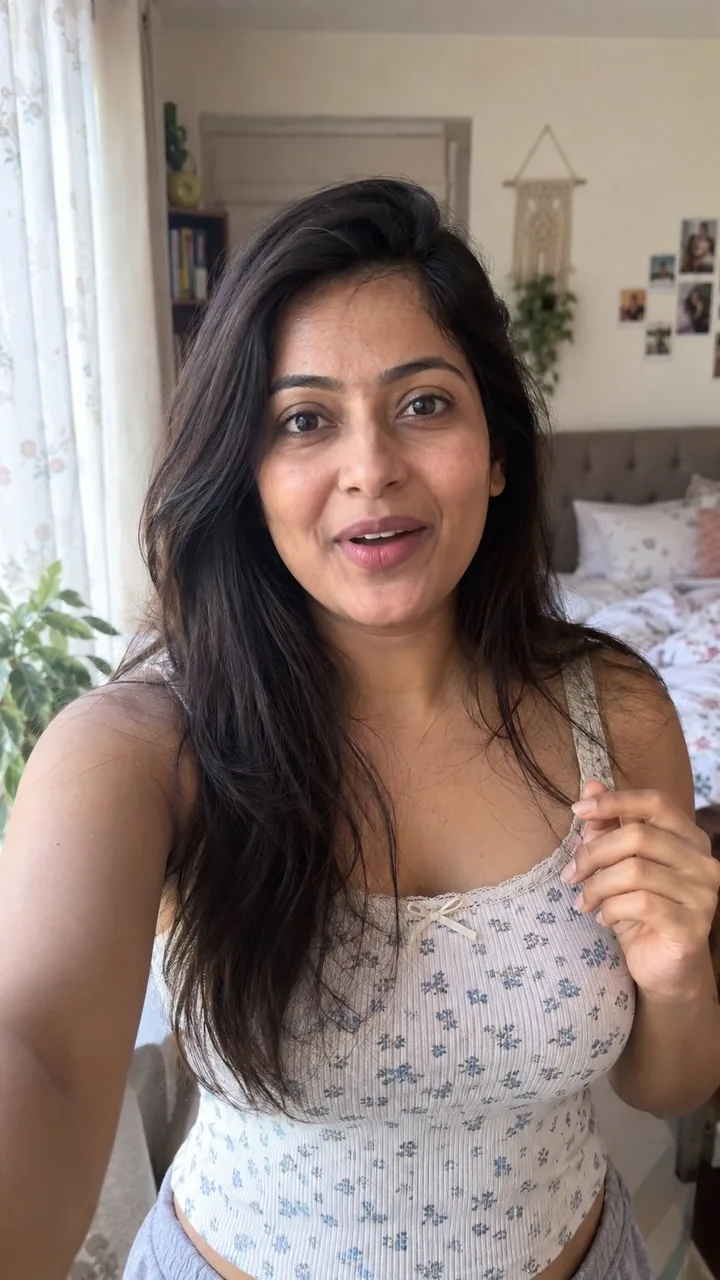
提示词
how to generate AI photos that look 100% real with GPT-Image 2.5:

GPT-Image 2.5 is a bit nodern than image 2, but if you still get that obvious AI look. no references = fake color, fake grain, fake skin.

so steal this trick from a real photo, then lock a woman as your UGC face.

 find a real photo with the aesthetic you want (phone snap, not a campaign)

 drop it into GPT-6 Astra in ChatGPT and ask:

“analyze this photo and give me a very detailed json prompt describing its visual style. really break down the color grading, lighting, and the exact colors so i can apply that look to my own images”

Astra writes the look. you don’t sit there naming every shadow.

 take that json into GPT-Image 2.5 (ChatGPT is enough)

 attach a face you like, or generate one, and prompt:

“using this json as reference, generate a candid ugc photo of a woman. phone camera, not studio. keep the grade and lighting from the json. no beauty filter, no plastic skin.”

 compare it to a version with no json. the difference is the grade.

 save the still you’re happy with as your character ref

 every next image: attach that woman + the json, and tell it to keep the same face

now you have one girl you can drop into new locations without rewriting the whole prompt.

iterate the json with Astra when the look drifts. leftover “basic” color and cheap grain are usually what still reads as AI.

json = lighting and color. character ref = the same woman. you just change the scene.
中文译文
如何用 GPT-Image 2.5 生成看起来 100% 真实的 AI 照片:

GPT-Image 2.5 比 image 2 更现代一些,但如果你得到的仍然是那种一眼假的 AI 感。没有参考图 = 假的颜色、假的颗粒、假的皮肤。

那就从一张真实照片里把这个技巧偷过来,然后锁定一位女性作为你的 UGC 面孔。

 找一张拥有你想要那种美学的真实照片(手机随手拍,不是商业大片)

 把它丢进 ChatGPT 里的 GPT-6 Astra,然后问:

“分析这张照片,给我一段非常详细的 json 提示词,描述它的视觉风格。真的要把调色、光线和准确的颜色都拆解出来,这样我就能把这套质感套到我自己的图片上”

Astra 会把这种质感写出来。你不用坐在那儿给每一处阴影命名。

 把那段 json 拿到 GPT-Image 2.5 里(用 ChatGPT 就够了)

 附上一张你喜欢的脸,或者直接生成一张,然后提示:

“以这段 json 作为参考,生成一张一位女性的随手拍 UGC 照片。手机镜头,不要影棚感。保留 json 里的调色和光线。不要美颜滤镜,不要塑料皮肤。”

 把它和一张不带 json 的版本做对比。差别就在调色上。

 把让你满意的那张静帧保存下来,作为你的角色参考

 之后每一张图:附上那位女性和这段 json,并告诉它保持同一张脸

现在你就有了一个固定的女孩,可以把她放进新的场景里,而不用重写整段提示词。

当质感跑偏时,就用 Astra 反复调整那段 json。残留下来的“基础款”色彩和廉价颗粒,通常就是仍然看起来像 AI 的原因。

json = 光线和色彩。角色参考 = 同一个女人。你只需要更换场景。
溯源
- 原作者
- 0x_harness
- 发布日期
- 2026-09-10
- 原始出处
- 查看原帖 ↗
- 收录来源
- xianyu110/awesome-gpt-image2.5 · 2097864879843746285 · MIT