写真UGC:まず実写真の粒子/色調を盗み、それから顔を固定
リファレンスなし=偽の色、偽のノイズ、偽の肌。広告素材/种草画像はこれを流用すれば十分に鋭い。
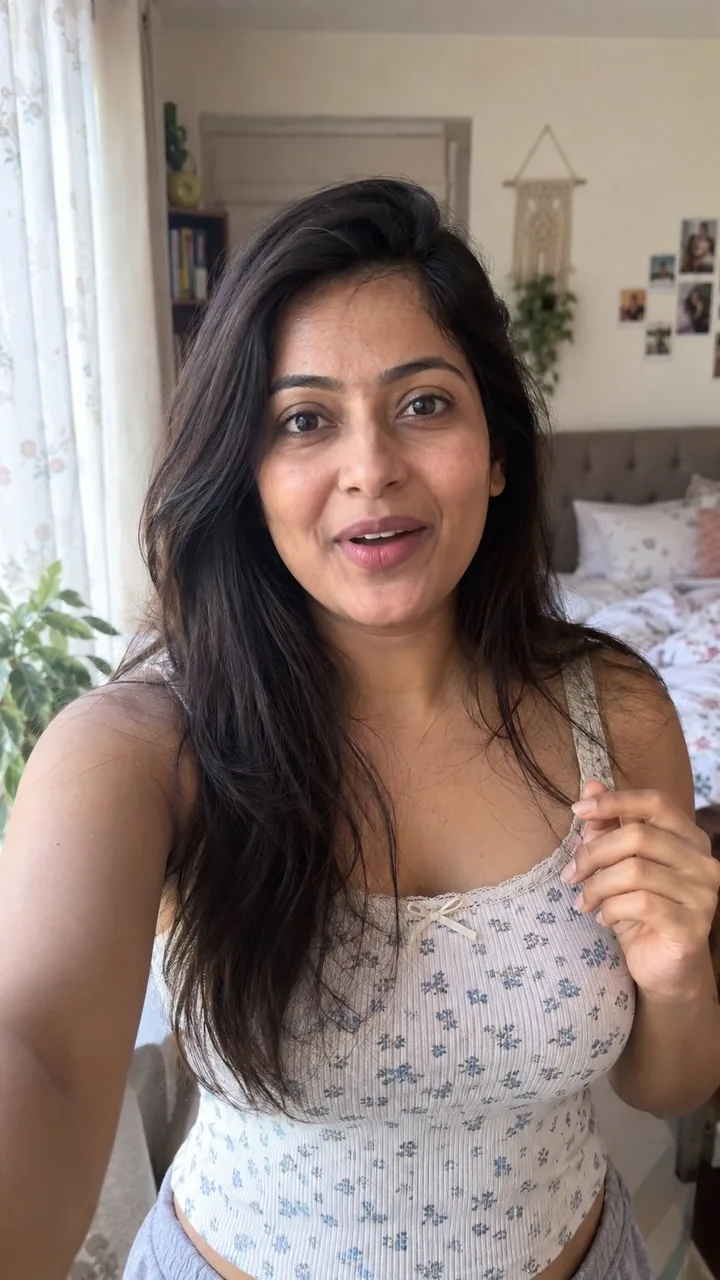
プロンプト
how to generate AI photos that look 100% real with GPT-Image 2.5:

GPT-Image 2.5 is a bit nodern than image 2, but if you still get that obvious AI look. no references = fake color, fake grain, fake skin.

so steal this trick from a real photo, then lock a woman as your UGC face.

 find a real photo with the aesthetic you want (phone snap, not a campaign)

 drop it into GPT-6 Astra in ChatGPT and ask:

“analyze this photo and give me a very detailed json prompt describing its visual style. really break down the color grading, lighting, and the exact colors so i can apply that look to my own images”

Astra writes the look. you don’t sit there naming every shadow.

 take that json into GPT-Image 2.5 (ChatGPT is enough)

 attach a face you like, or generate one, and prompt:

“using this json as reference, generate a candid ugc photo of a woman. phone camera, not studio. keep the grade and lighting from the json. no beauty filter, no plastic skin.”

 compare it to a version with no json. the difference is the grade.

 save the still you’re happy with as your character ref

 every next image: attach that woman + the json, and tell it to keep the same face

now you have one girl you can drop into new locations without rewriting the whole prompt.

iterate the json with Astra when the look drifts. leftover “basic” color and cheap grain are usually what still reads as AI.

json = lighting and color. character ref = the same woman. you just change the scene.
日本語訳
GPT-Image 2.5で100%リアルに見えるAI写真を生成する方法:

GPT-Image 2.5はimage 2よりいくぶん現代的だが、それでもあの明らかなAIっぽさが出てしまうなら。リファレンスなし=偽の色、偽の粒子、偽の肌。

そこで、実写真からこのコツを盗み、それから女性をUGCの顔として固定する。

 欲しい美学の実写真を探す(キャンペーン写真ではなく、スマホで撮ったスナップ)

 それをChatGPTのGPT-6 Astraに投入して頼む:

「この写真を分析して、そのビジュアルスタイルを説明する非常に詳細なjson promptをください。カラーグレーディング、ライティング、正確な色をしっかり分解して、自分の画像にそのルックを適用できるようにしてください」

Astraがルックを書き出す。自分で一つ一つの影の名前を考える必要はない。

 そのjsonをGPT-Image 2.5に持っていく(ChatGPTで十分)

 気に入った顔を添付するか生成して、こうpromptする:

「このjsonをリファレンスとして、女性のキャンディッドなugc写真を生成してください。スタジオではなくスマホカメラ。jsonのグレードとライティングを保つこと。美肌フィルターなし、プラスチックのような肌なし。」

 jsonなしのバージョンと比較する。違いはグレードだ。

 満足したスチルをキャラクターrefとして保存する

 以降のすべての画像:その女性+jsonを添付し、同じ顔を保つよう指示する

これで、prompt全体を書き直さずに新しい場所へ配置できる一人の女の子が手に入る。

ルックがずれたらAstraでjsonを反復する。残った「普通の」色と安っぽい粒子が、たいていAIっぽく見える原因だ。

json=ライティングと色。character ref=同じ女性。あとはシーンを変えるだけ。
出典
- 原作者
- 0x_harness
- 公開日
- 2026-09-10
- 原典
- 元の投稿を見る ↗
- 収録元
- xianyu110/awesome-gpt-image2.5 · 2097864879843746285 · MIT