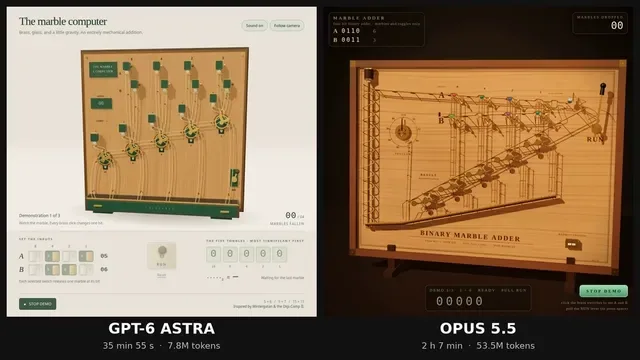
Build a single self-contained HTML file: a 3D marble computer, in the spirit of Wintergatan's marble machine and the Digi-Comp II, that adds two 4-bit numbers using nothing but marbles falling through mechanical toggles.

Hard rules:

1. One HTML file. Three.js from https://t.co/KCQbEZLusb via an import map, plus its OrbitControls addon. No other libraries, no physics engine, no external assets.

2. The mechanism is the computer. Each bit of the result is stored in a two-state toggle (flip-flop) that a marble physically flips as it passes. Carries happen because a marble leaving one toggle rolls on to the next. Do not compute the answer in JavaScript arithmetic anywhere. The displayed result must be read from the toggle states after the last marble stops.

3. Marbles move along tracks with believable gravity and timing. Nothing teleports. You may script motion along paths, but every toggle flip must be caused by a marble arriving at it.

4. Input: two rows of four switches (A and B, 0 to 15), set by clicking. A lever labelled RUN releases the marbles. A counter shows how many marbles have fallen.

5. Output: a row of five result toggles, most significant bit on the left, and a readout that shows the binary and decimal value read from those toggles.

6. A DEMO button runs 5+6, then 9+7, then 15+15, resetting between runs, so it can be screen-recorded without touching anything.

7. Looks: a wooden board, brass toggles, glass marbles, warm studio lighting, soft shadows, a slow camera that follows the busiest part of the machine. It should look good in a square 1080x1080 recording.

8. Short click sounds via the Web Audio API when a toggle flips, started only after the first user click.

9. It must run at 60 fps on a normal laptop and have no console errors.

Output only the complete HTML file.