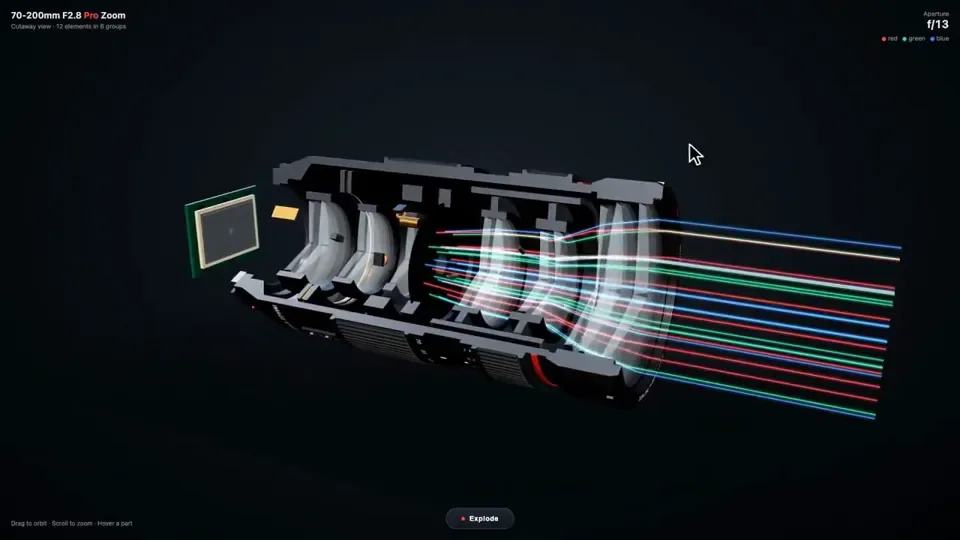
Build me a camera lens in interactive 3D, in one HTML file with Three.js.

Make it look real: a big black pro zoom lens with its glass front, the rubber focus and zoom rings, the red stripe and the white numbers, and inside it the parts you never get to see. The stack of glass elements in their groups, the aperture blades that open and close, the focus motor, the image stabilizer, the zoom cams, and the gold contacts on the mount. Cut it open down the side so I can see the glass inside, with light passing through it as colored beams that bend and meet on the camera sensor behind it. The aperture blades open and close slowly. I can drag to orbit around it and scroll to zoom.

Add an Explode button. When I press it, every part slides apart along the lens with its name on a label. Press it again and it all snaps back together. When I hover a part, it lights up and shows one line on what it does.

No images. Do not ask me any questions. Just build it.
中文译文
用 Three.js 在一个 HTML 文件里,为我做一个可交互的 3D 相机镜头。

让它看起来像真的:一支黑色的大型专业变焦镜头,带前组镜片、橡胶对焦环和变焦环、红色环带和白色数字,还有内部那些你平时永远看不到的部件。成组排列的镜片组、可开合的光圈叶片、对焦马达、图像稳定器、变焦凸轮,以及卡口上的金色触点。从侧面把它剖开,让我能看到里面的镜片,光线化作彩色光束穿过镜片,弯折后在它后方的相机传感器上汇聚。光圈叶片缓缓开合。我可以拖动环绕观察,滚动缩放。

加一个 Explode 按钮。按下时,每个部件沿镜头滑开分离,并带着写有名称的标签。再按一次,全部咔哒一声复位。悬停某个部件时,它会亮起,并显示一行说明它有什么作用的文字。

不要用图片。不要问我任何问题。直接做。