analyze this photo and give me a detailed JSON prompt that recreates it. break down the color grading and every exact color in the photo

(use Opus, not Sonnet. Opus has stronger visual analysis and writes more detailed JSON)

paste that JSON into ChatGPT
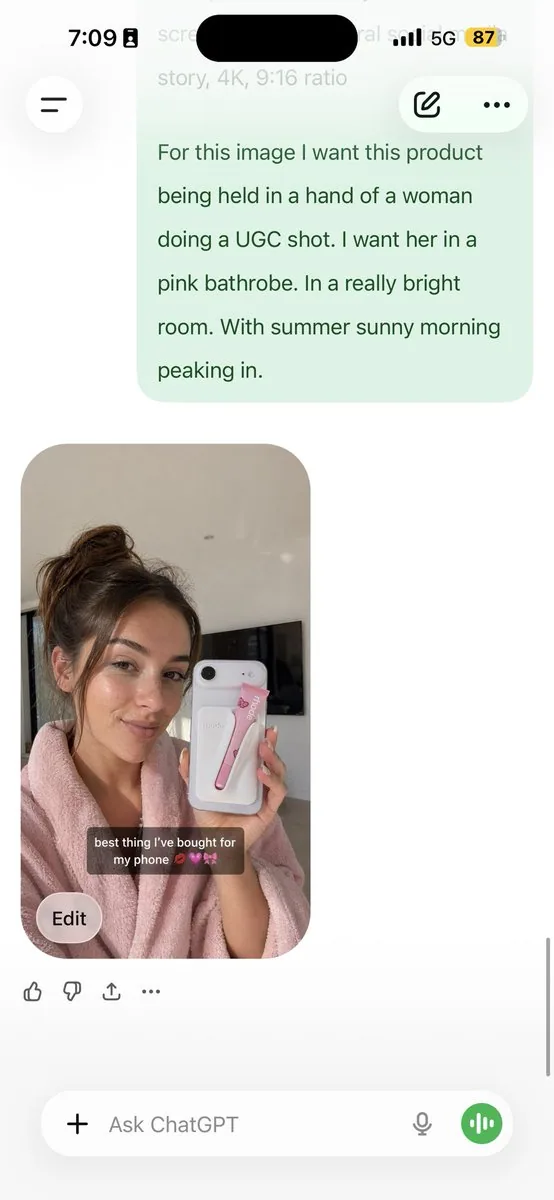
upload your product image and prompt:
using this JSON as reference, generate a person holding my product
save that generated photo as your character reference

attach it to every future generation for facial consistency

you now have a consistent UGC model that works across any product

the JSON controls the lighting and color grading. GPT image-2 handles the character. you control the product placement.

the #1 tell on AI photos is flat colors and a grainy look. this method removes both.
5 minutes to set up. unlimited variations after.
한국어 번역
이 사진을 분석하고 이를 재현하는 상세한 JSON 프롬프트를 만들어 주세요. 사진의 색 보정과 모든 정확한 색상을 분해해 주세요

(Opus를 사용하세요, Sonnet이 아닙니다. Opus는 시각 분석이 더 강력하고 더 상세한 JSON을 작성합니다)

그 JSON을 ChatGPT에 붙여넣으세요
제품 이미지를 업로드하고 프롬프트:
이 JSON을 참조로 사용해서, 내 제품을 들고 있는 사람을 생성해 줘
생성된 사진을 캐릭터 레퍼런스로 저장하세요

얼굴 일관성을 위해 이후 모든 생성에 첨부하세요

이제 어떤 제품에도 통하는 일관된 UGC 모델이 생겼습니다

JSON은 조명과 색 보정을 제어합니다. GPT image-2가 캐릭터를 처리합니다. 당신은 제품 배치를 제어합니다.

AI 사진의 가장 큰 티는 평평한 색감과 거친 노이즈입니다. 이 방법은 둘 다 제거합니다.
설정에 5분. 이후 무한한 변형.